
10 Modern Responsive Web Design Techniques Every Developer Should Know in 2026
The way people access websites has changed significantly over the years. Today, users browse the web using smartphones, tablets, laptops, desktops, foldable devices, and large-screen displays. They expect websites to load quickly, look visually appealing, and provide a seamless experience regardless of the device they use. As a result, responsive web design has become an essential part of modern frontend development rather than an optional feature.
In 2026, responsive web design goes beyond adjusting layouts to fit different screen sizes. It involves building flexible interfaces that adapt to changing viewport dimensions, user preferences, content requirements, and device capabilities. Modern CSS features, component-based architectures, performance optimization techniques, and accessibility practices are helping developers create websites that are more adaptable and easier to maintain.
For frontend developers, understanding these techniques is important for delivering better user experiences and building websites that remain functional as web technologies evolve. Whether you are developing a business website, an e-commerce platform, a SaaS dashboard, or a content-driven application, applying modern responsive design principles can improve usability, performance, and maintainability.
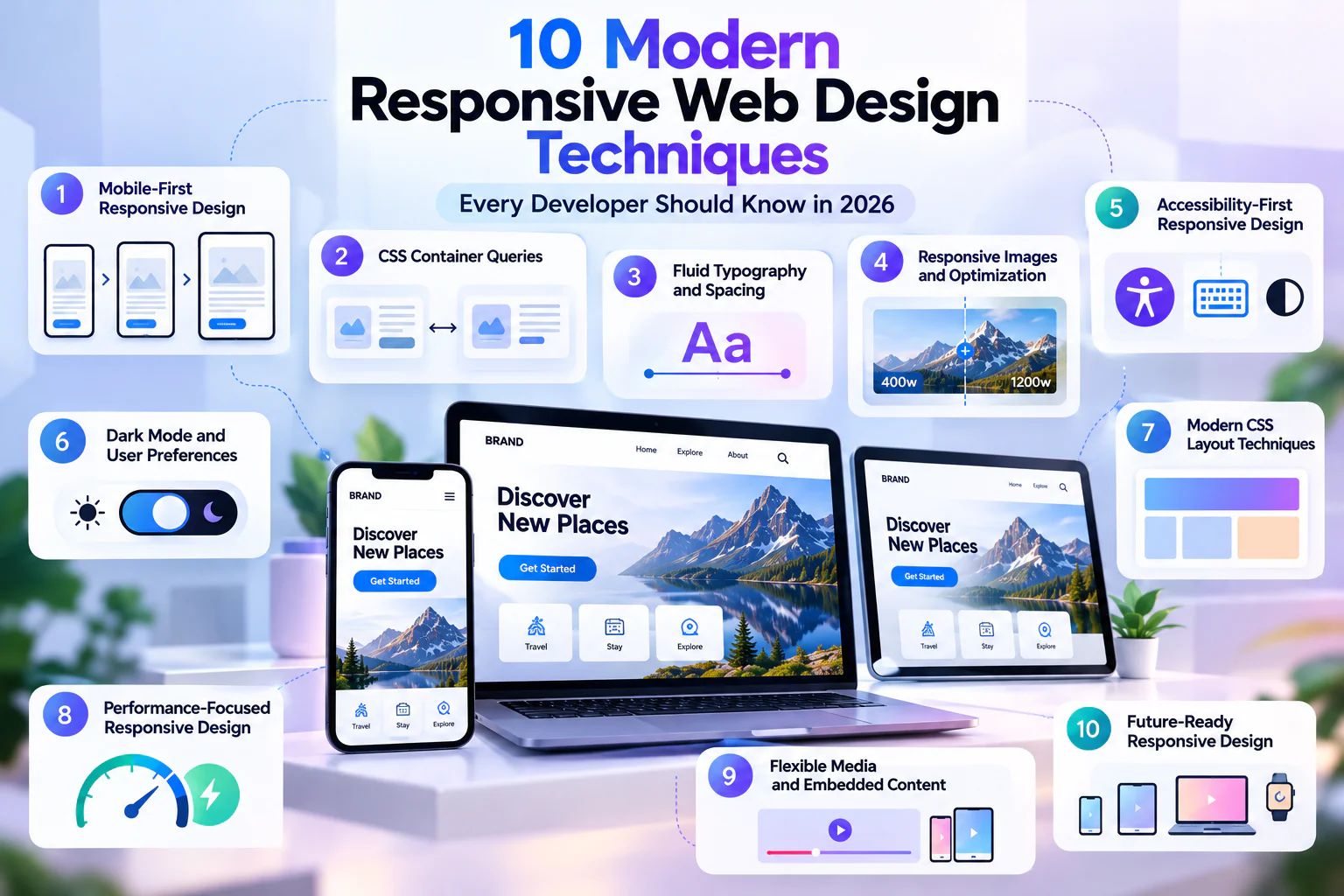
In this article, we will explore ten modern responsive web design techniques every developer should know in 2026, along with practical explanations of how they can be applied to real-world frontend projects.
1. Mobile-First Responsive Design
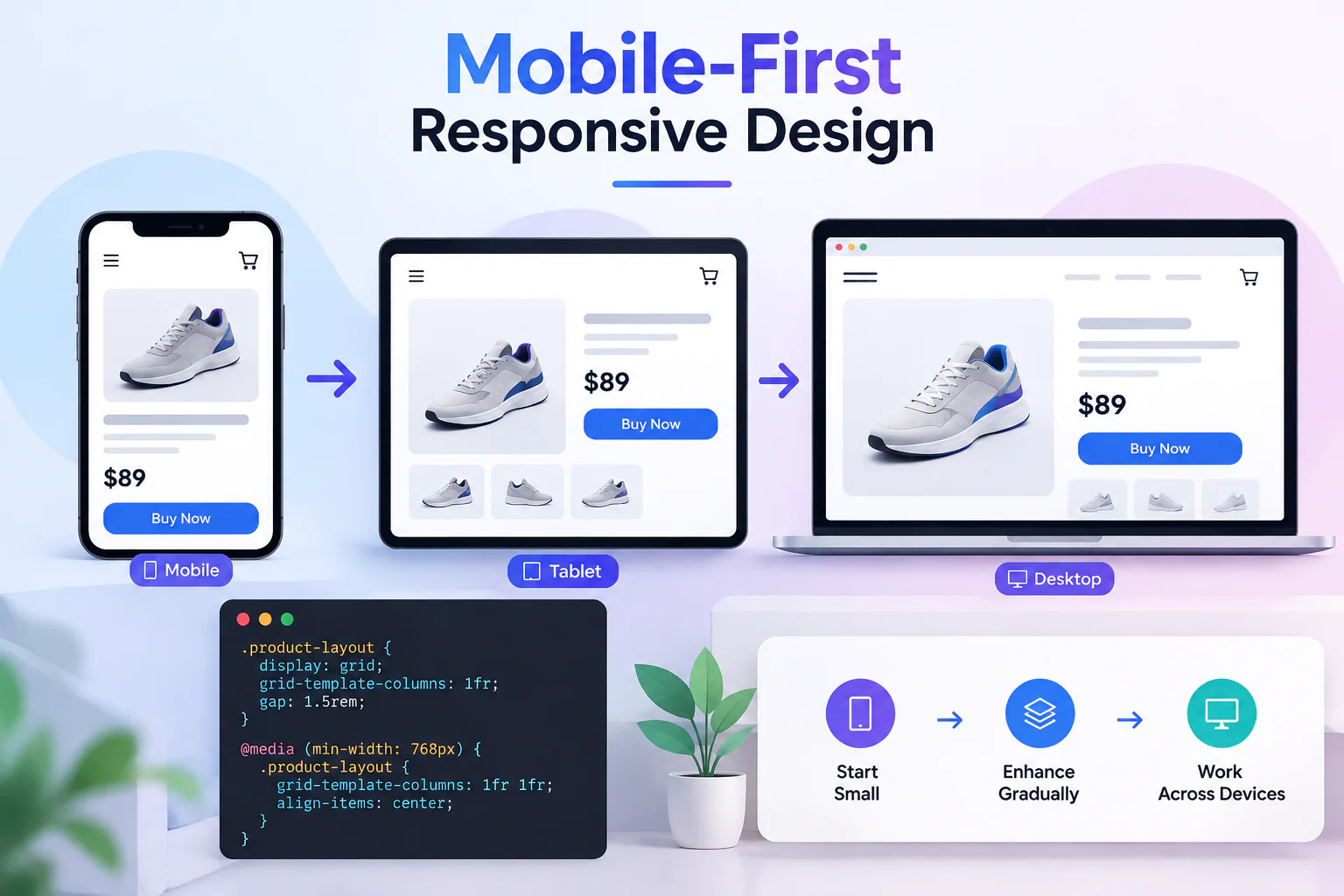
Mobile-first design remains one of the most effective approaches to responsive web development in 2026. Instead of designing a website for desktop screens and then reducing its layout for mobile devices, developers begin with the smallest practical viewport and gradually enhance the experience for larger screens. This approach encourages developers to prioritize essential content, simplify navigation, and focus on the most important user interactions.
Starting with mobile layouts also helps identify design problems early. Limited screen space forces developers to think carefully about content hierarchy, button placement, typography, and spacing. Once the mobile experience is well structured, additional layout features can be introduced for tablets, laptops, and desktops using CSS media queries.
For example, a product page may display its image, title, price, and purchase button in a single-column layout on mobile devices. On larger screens, the same content can expand into a two-column layout with the product image on one side and the purchase details on the other.
Developers can implement this approach by writing the base styles for smaller screens and introducing enhancements through min-width media queries.
					.product-layout {
  display: grid;
  grid-template-columns: 1fr;
  gap: 1.5rem;
}

@media (min-width: 768px) {
  .product-layout {
    grid-template-columns: 1fr 1fr;
    align-items: center;
  }
}
The most important principle is to design for content and usability rather than for specific device brands. A mobile-first foundation creates a cleaner starting point and makes it easier to build layouts that adapt naturally across different screen sizes.
2. CSS Container Queries for Component-Level Responsiveness
Traditional responsive design often relies on media queries that respond to the dimensions of the browser viewport. However, modern applications frequently use reusable components that appear in different sections of a page, each with a different amount of available space. A card might appear in a wide content area on one page and inside a narrow sidebar on another. In such situations, viewport-based breakpoints alone may not provide the most appropriate layout.
CSS container queries solve this problem by allowing components to respond to the size of their containing element. Instead of asking whether the entire screen is wide enough, a component can determine whether its own container has enough space to support a particular layout.
This technique is especially useful for reusable UI components such as product cards, pricing panels, profile sections, article previews, dashboard widgets, and navigation elements. It allows developers to create components that remain flexible even when their position within the page changes.
Consider a profile card that displays its image above the text when space is limited but places the image beside the text when more room is available.
					.profile-container {
  container-type: inline-size;
}

.profile-card {
  display: grid;
  grid-template-columns: 1fr;
  gap: 1rem;
}

@container (min-width: 480px) {
  .profile-card {
    grid-template-columns: 120px 1fr;
    align-items: center;
  }
}
Here, the container establishes a queryable inline size, and the card changes its layout when the container reaches the specified width. The breakpoint is based on the available space inside the component rather than the overall viewport.
In 2026, container queries are an important technique for building modular frontend systems. They are particularly valuable in design systems where the same component needs to work across different layouts without requiring separate implementations for every context.
3. Fluid Typography and Spacing with CSS clamp()
Typography and spacing have a major influence on how a website looks and feels across different devices. Traditionally, developers have used several media queries to change heading sizes, paragraph spacing, and layout gaps at predefined breakpoints. While this approach works, it can create unnecessary complexity when a design requires gradual scaling between screen sizes.
Fluid typography provides a more flexible alternative. CSS functions such as clamp(), min(), and max() allow developers to define responsive values that adjust according to the available space while respecting minimum and maximum limits.
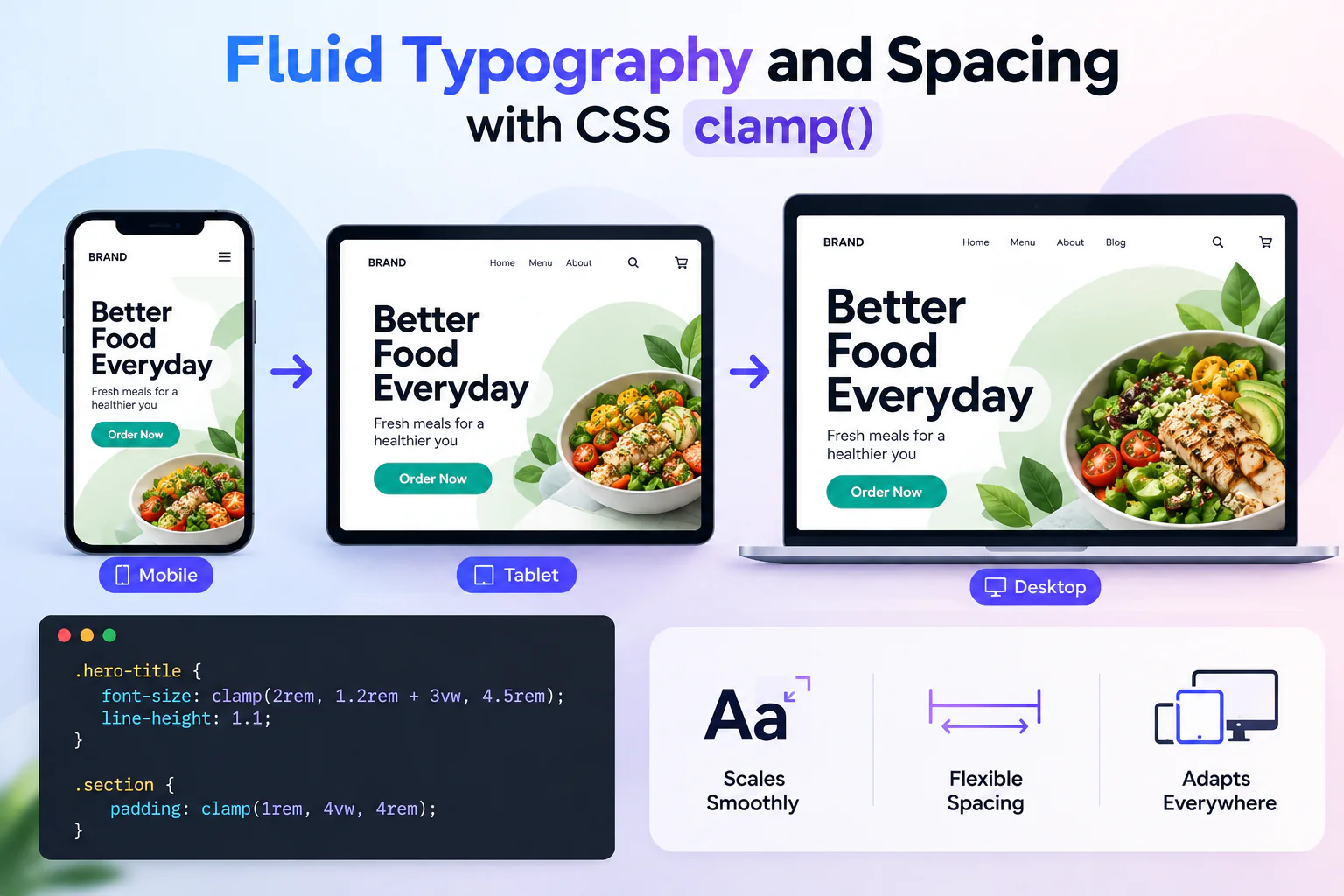
The clamp() function is particularly useful because it accepts three values: a minimum, a preferred value, and a maximum. The browser calculates the preferred value when appropriate but prevents the result from falling below or exceeding the defined limits. Using viewport-relative units such as vw alongside rem makes it possible to create typography that scales smoothly while retaining reasonable bounds.
For example, a hero heading can grow as the viewport becomes wider without becoming excessively large on desktop screens or too small on mobile devices.
					.hero-title {
  font-size: clamp(2rem, 1.2rem + 3vw, 4.5rem);
  line-height: 1.1;
}

.section-title {
  font-size: clamp(1.5rem, 1.1rem + 1.5vw, 2.5rem);
}

.section {
  padding: clamp(1rem, 4vw, 4rem);
}
This approach is useful for page headings, section titles, body text, container padding, grid gaps, and other design values that benefit from gradual scaling. It can also reduce the number of media queries required in a stylesheet.
However, fluid sizing should always be tested carefully. Extremely long headings, small mobile viewports, browser zoom, and user-defined text preferences can expose problems if the minimum and maximum values are poorly chosen. Developers should also use relative units such as rem for many text and spacing values to support accessibility.
When applied thoughtfully, fluid typography and spacing create a more natural visual experience and reduce the need for rigid breakpoint-based adjustments.
4. Modern CSS Grid and Flexbox Layouts
CSS Grid and Flexbox continue to be two of the most important tools for building responsive interfaces. Although both are used to arrange elements, they solve slightly different layout problems. Flexbox is generally suited to arranging items along one primary axis, while Grid is designed to manage rows and columns together.
Flexbox is useful for navigation bars, button groups, horizontal toolbars, aligned form controls, and content sections that need to distribute available space. CSS Grid is particularly effective for page layouts, card collections, product listings, image galleries, and dashboards with multiple columns.
One of the biggest advantages of modern CSS Grid is the ability to create layouts that automatically adjust the number of columns according to the available space. Functions such as repeat(), auto-fit, minmax(), and fractional units make it possible to create flexible layouts without writing a separate media query for every column count.
For example, a blog listing can display as many cards per row as the container can accommodate while maintaining a minimum card width.
					.blog-grid {
  display: grid;
  grid-template-columns: repeat(
    auto-fit,
    minmax(min(100%, 260px), 1fr)
  );
  gap: 1.5rem;
}

.blog-card {
  min-width: 0;
  padding: 1.25rem;
  border-radius: 1rem;
}
The auto-fit value allows available columns to expand and use the remaining space, while minmax() establishes a flexible range for each column. The nested min() also helps prevent the minimum track size from forcing overflow in a container narrower than the preferred card width.
In practical projects, developers do not always need multiple breakpoint-specific grid definitions. A well-designed Grid layout can respond automatically to the container’s available space, making the stylesheet simpler and easier to maintain.
The key is to choose Grid and Flexbox based on the structure of the content. Using them together often produces the best results: Grid can establish the main page layout, while Flexbox handles the alignment of elements within individual components.
5. Responsive Images and Modern Image Optimization
Images often account for a significant portion of a webpage’s total download size. Large, unoptimized images can slow down loading, increase data usage on mobile networks, and negatively affect the user experience. Responsive image techniques help deliver suitable image resources to different devices while preserving visual quality.
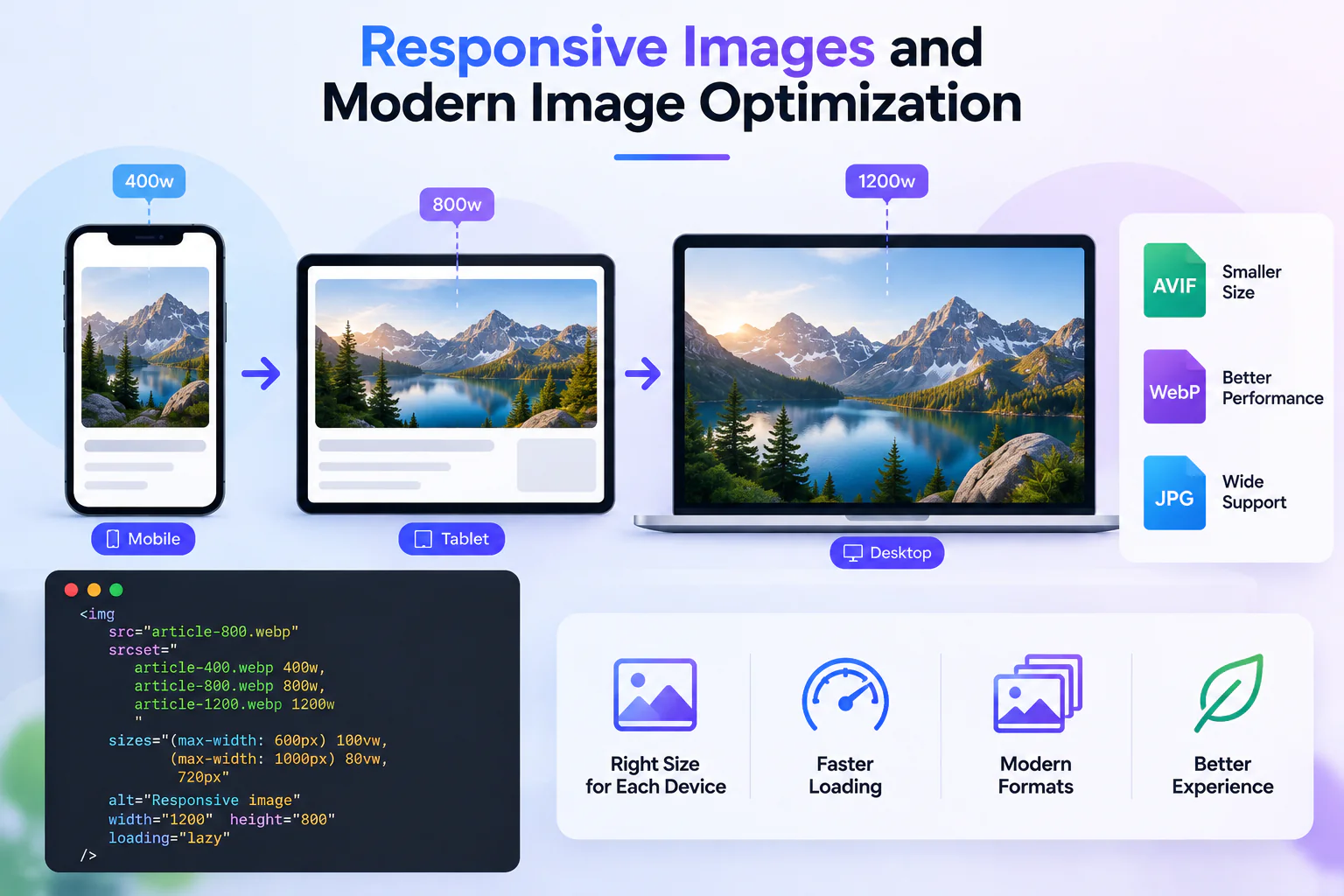
The HTML srcset and sizes attributes allow browsers to choose an appropriate image source based on factors such as the rendered image width and device pixel density. This can prevent small mobile screens from unnecessarily downloading very large desktop images.
The picture element is also useful when developers need to provide different image crops or formats for different situations. For example, a hero image may use a wide composition on desktop but a vertically cropped version on mobile. Modern formats such as WebP and AVIF can reduce image file sizes when supported, with suitable fallback sources where necessary.
A responsive image can be implemented as follows:
					<img loading="lazy" decoding="async"
  src="article-800.webp"
  srcset="
    article-400.webp 400w,
    article-800.webp 800w,
    article-1200.webp 1200w
  "
  sizes="auto, (max-width: 600px) 100vw,
         (max-width: 1000px) 80vw,
         720px"
  alt="Developer working on a responsive website"
  width="1200"
  height="800"
  loading="lazy"
/>
In this example, the browser uses the available source candidates and the sizes information to select an appropriate resource. The width and height attributes also help reserve space for the image before it loads, reducing unexpected layout shifts.
Lazy loading is useful for images that appear below the initial viewport because it can delay unnecessary downloads. However, developers should avoid applying loading="lazy" indiscriminately to the main hero image or another critical image that needs to appear immediately. Important above-the-fold images may benefit from eager loading and, when justified by performance measurements, appropriate fetch priority.
Responsive image delivery should also include sensible compression, correct cropping, meaningful alternative text, and properly sized source files. Combining these practices improves loading performance without compromising the visual quality of the website.
6. Responsive Navigation and Adaptive User Interfaces
Navigation is one of the most visible parts of responsive web design because it determines how users move through a website. A navigation bar that works well on a large desktop screen may become crowded or difficult to use on a mobile device. Modern responsive navigation focuses on preserving access to important destinations while adapting the interface to the available space.
On desktop screens, a horizontal navigation bar can display several links, dropdown menus, search controls, and account actions. On smaller screens, the same interface may require a compact menu button that opens a navigation panel or disclosure menu. The transition should be based on the actual layout requirements rather than assumptions about particular device categoriesDevelopers should also consider touch interaction, keyboard navigation, screen readers, and visible focus states. A menu that looks attractive but cannot be operated using a keyboard or assistive technology is not a complete responsive solution.
A responsive navigation system can use CSS media queries to change the presentation while JavaScript or a frontend framework manages interactive states. For example, a menu button should expose its expanded state through aria-expanded, and the menu should remain usable with keyboard controls. If the menu is modal, it also needs appropriate focus management and dismissal behavior.
In addition to navigation, adaptive interfaces may rearrange secondary content, collapse optional filters, simplify data visualizations, or move supplementary actions into a more accessible location. The objective is not simply to hide content on smaller screens but to preserve the most important user tasks.
A strong responsive interface maintains a consistent information architecture while adjusting how that information is presented. This makes the website easier to navigate and helps users complete their goals regardless of screen size or input method.
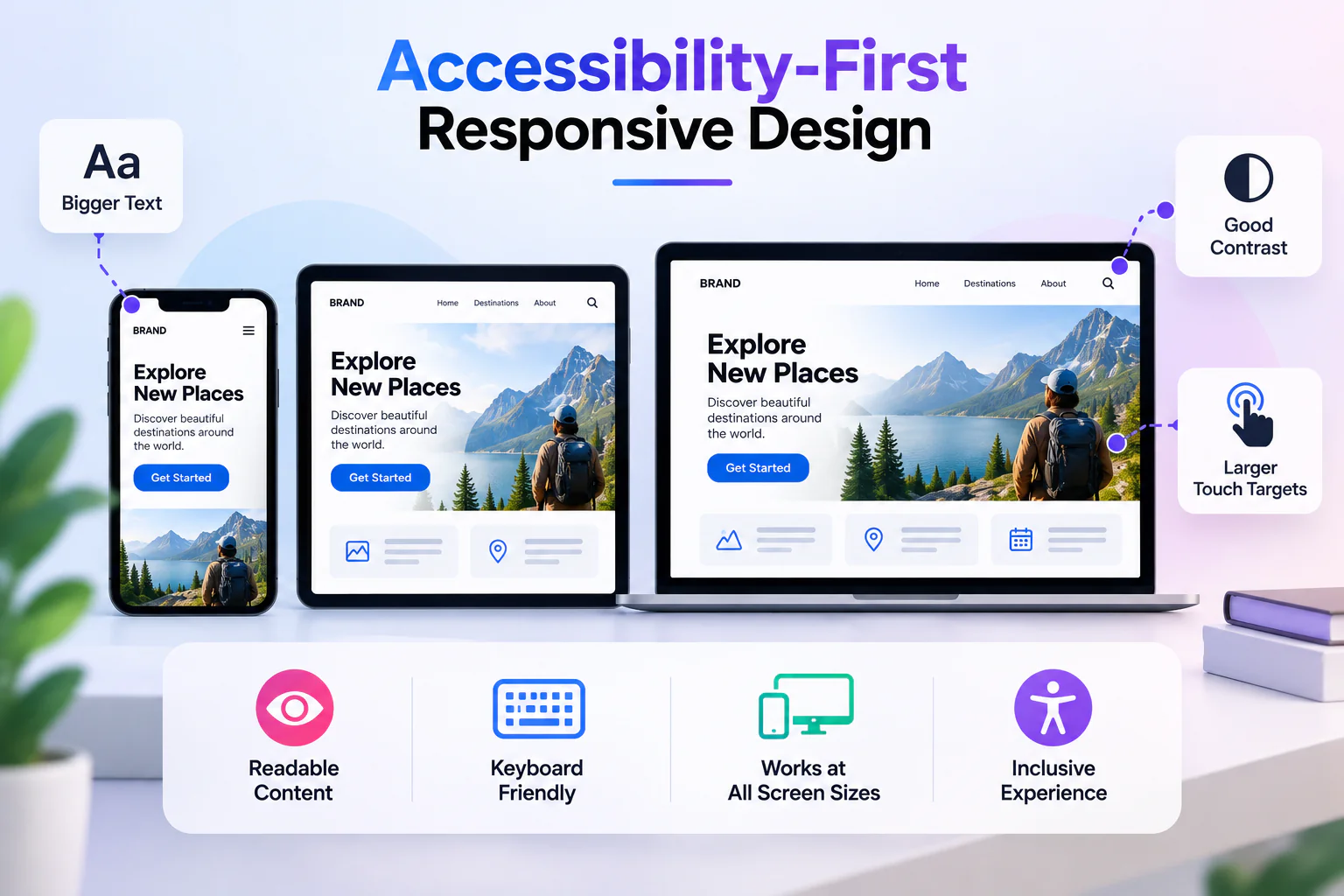
7. Accessibility-First Responsive Design
Accessibility is an essential part of modern frontend development, and responsive design plays a major role in making websites usable by a wider range of people. Users may browse with screen magnification, increased text sizes, keyboard navigation, voice controls, touch input, or other assistive technologies. A responsive website should accommodate these needs rather than assume that every user interacts with a standard screen and mouse.
One important consideration is text resizing. When users increase their browser’s default font size or zoom into a page, content should remain readable and functional. Fixed-height containers, absolute positioning, and rigid layouts can cause text to overlap or disappear when the amount of content changes. Flexible containers and content-driven sizing help prevent these problems.
Touch targets also deserve attention. Buttons, links, form controls, and other interactive elements should be large enough and spaced appropriately to reduce accidental activation. WCAG 2.2 includes a 24-by-24 CSS pixel minimum target-size criterion with defined exceptions; a larger target, such as around 44 by 44 CSS pixels, is often a useful usability goal where space permits.
Color contrast, visible keyboard focus, meaningful headings, semantic HTML, and descriptive form labels are equally important. Developers should not rely on color alone to communicate an error or success state, and interactive controls should remain understandable to users who rely on assistive technology.
Responsive accessibility also requires testing at high zoom levels and in narrow viewport conditions. A layout that works at normal zoom may fail when a user zooms in and the effective viewport becomes much narrower. Content should reflow without unnecessary horizontal scrolling, except where a particular content type genuinely requires two-dimensional presentation.
By treating accessibility as a design requirement from the beginning, developers can create interfaces that are more robust, inclusive, and usable across different devices, preferences, and abilities.
8. Performance Optimization for Responsive Websites
A responsive website should not only look good on different devices; it should also perform well. Slow loading, delayed interactions, and unexpected layout shifts can frustrate users even when the design is visually appealing. Performance optimization is therefore an important part of responsive frontend engineering, particularly for users on mobile networks or lower-powered devices.
One effective technique is to reduce the amount of JavaScript required for the initial page load. Large bundles, unnecessary dependencies, and excessive client-side rendering can delay meaningful content and increase the time users must wait before interacting with a page. Code splitting, lazy loading of non-critical modules, and removal of unused code can help reduce this overhead.
CSS should also be organized carefully. Unnecessary styles, overly complex selectors, and large third-party libraries can increase maintenance costs and sometimes affect rendering efficiency. Developers should focus on measurable bottlenecks instead of assuming that every optimization will produce a meaningful improvement.
Image optimization, font loading strategies, caching, and content delivery networks can further improve performance. Fonts should be selected and loaded carefully to avoid unnecessary delays or visual shifts. Critical content should be prioritized, while non-essential resources can be loaded later when appropriate.
Core Web Vitals provide useful indicators for evaluating real-world user experience. Largest Contentful Paint (LCP) measures loading performance, Interaction to Next Paint (INP) measures responsiveness to user interactions, and Cumulative Layout Shift (CLS) measures visual stability. The commonly used “good” thresholds at the 75th percentile of page visits are LCP at or below 2.5 seconds, INP at or below 200 milliseconds, and CLS at or below 0.1.
These metrics should be evaluated using field data where available and supported by laboratory tools during development. Developers can use browser performance panels, Lighthouse, and real-user monitoring to identify issues and track improvements over time.
In 2026, performance optimization is not just about achieving a high benchmark score. It is about ensuring that users can access content quickly, interact with the interface smoothly, and complete tasks without unnecessary delays.
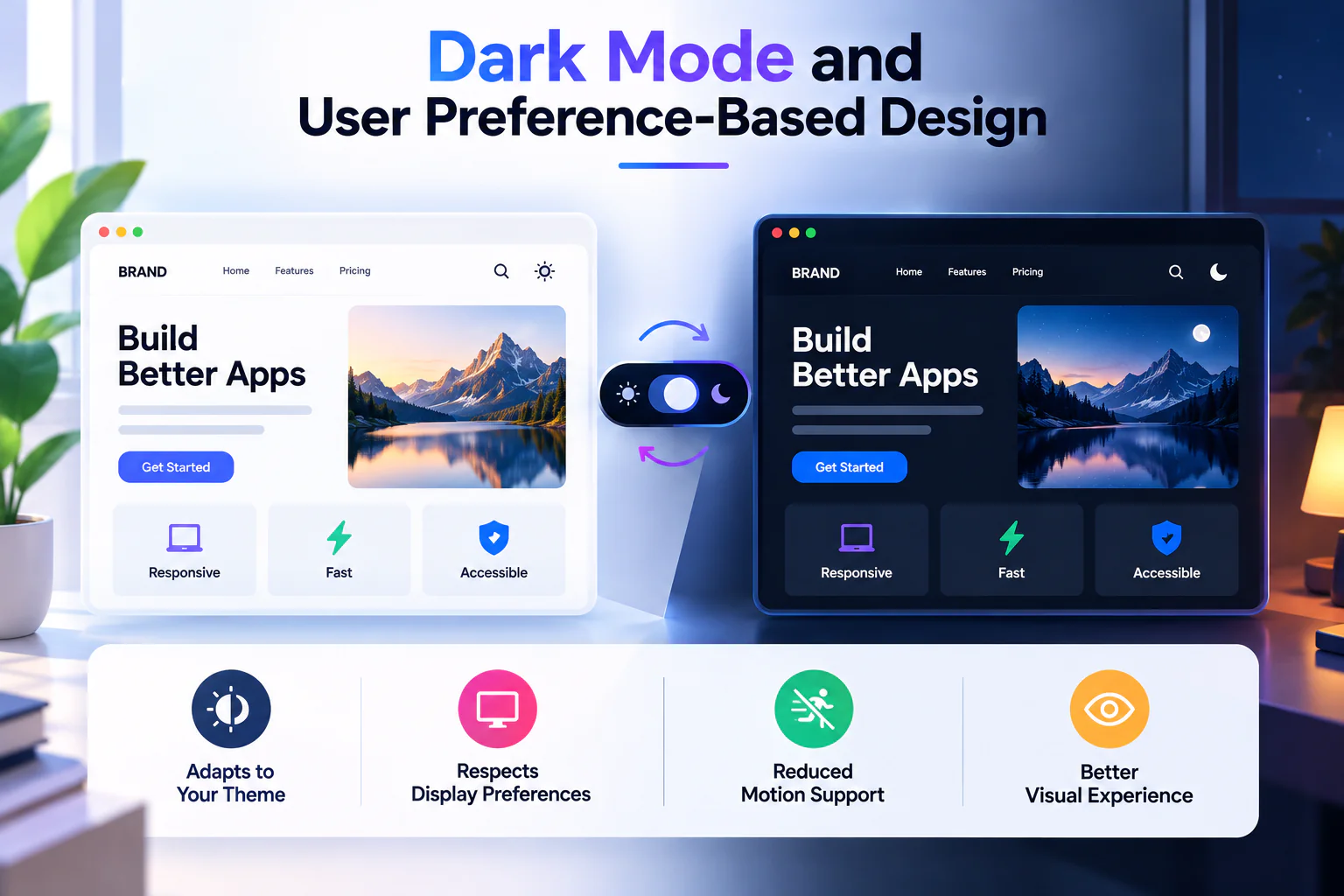
9. Dark Mode and User Preference-Based Design
Modern responsive design increasingly considers user preferences in addition to screen dimensions. People may prefer dark interfaces, reduced motion, increased contrast, or other display adjustments depending on their environment and accessibility needs. CSS media features make it possible to respect several of these preferences without creating completely separate versions of a website.
The prefers-color-scheme media feature allows developers to detect whether the operating system or browser currently prefers a light or dark color scheme. This can be used to establish an appropriate default theme for page backgrounds, text, borders, cards, and form controls.
					:root {
  color-scheme: light;
  --page-bg: #ffffff;
  --text-color: #202124;
  --card-bg: #f5f7fa;
}

@media (prefers-color-scheme: dark) {
  :root {
    color-scheme: dark;
    --page-bg: #121418;
    --text-color: #f1f3f5;
    --card-bg: #1d2229;
  }
}

body {
  background: var(--page-bg);
  color: var(--text-color);
}

.card {
  background: var(--card-bg);
}
Using CSS custom properties makes theme management easier because shared colors can be updated in one place. Developers should also test contrast carefully in both themes, since colors that work well on a white background may become difficult to read on a dark one.
Websites that provide a manual theme switch should allow users to override the system preference and should handle the selected state consistently. Theme changes should not introduce excessive flashing, unexpected layout changes, or unreadable interface elements.
Motion preferences are another important consideration. Animations and transitions can make interfaces feel more polished, but users who prefer reduced motion should not be forced to experience unnecessary movement. The prefers-reduced-motion media feature can be used to reduce or remove non-essential animation.
Preference-based design makes websites more adaptable to individual needs and environments. It also reinforces an important principle of modern frontend development: responsive experiences should adapt not only to available space but also to how people prefer to use the web.
10. Testing Responsive Layouts Across Real Devices and Viewports
Even a carefully designed responsive layout can behave unexpectedly when it encounters real content, unusual viewport sizes, browser differences, or different input methods. Testing is therefore an essential part of responsive web development. Developers should not assume that a website is responsive simply because it looks correct at a few familiar screen resolutions.
A reliable testing process includes narrow mobile screens, larger smartphones, tablets, standard laptop displays, wide desktop monitors, and intermediate widths where layout transitions occur. Testing only at popular device dimensions can miss problems that appear between breakpoints, such as navigation wrapping, cards becoming too narrow, or headings overflowing their containers.
Browser developer tools provide device emulation, viewport resizing, network throttling, and performance inspection. These tools are useful for identifying many layout problems during development, but emulation cannot reproduce every real-world behavior. Testing on actual devices can reveal differences in touch interactions, keyboard behavior, font rendering, browser chrome, and performance on lower-powered hardware.
Developers should also test realistic content rather than relying entirely on short placeholder text. Long article titles, translated labels, large prices, missing images, validation messages, and user-generated content can all expose weaknesses in a layout. Responsive components should remain usable when the content is longer or shorter than expected.
Automated visual regression tests can help detect unintended layout changes after updates to CSS or component code. Accessibility checks, keyboard testing, and performance measurements should be included in the overall validation process rather than treated as separate final tasks.
A practical responsive testing checklist includes:
- Verify that content remains readable and usable across narrow and wide viewports.
- Check for unintended horizontal overflow, clipped text, and overlapping elements.
- Test navigation, forms, menus, and interactive controls with touch and keyboard input.
- Validate images, typography, spacing, and layout transitions with realistic content.
- Measure loading performance and visual stability on representative devices and network conditions.
The most effective testing process is continuous. Developers should validate responsive behavior while building components, after integrating page layouts, and before releasing significant changes. This reduces the likelihood of discovering major usability problems at the end of a project.
Leveraging Modern CSS Features to Reduce Breakpoint Complexity
As responsive interfaces become more sophisticated, managing too many media queries can make stylesheets difficult to maintain. Developers may end up creating separate rules for multiple screen widths, even when the underlying layout could adapt naturally to the available space. Modern CSS features help reduce this complexity by allowing browsers to calculate layout dimensions dynamically.
Intrinsic sizing techniques, including min-content, max-content, minmax(), and the fit-content() function, allow elements to size themselves according to their content and the available space. Combined with flexible Grid and Flexbox layouts, these techniques can reduce the need for fixed widths and unnecessary breakpoint rules.
For example, a page container can use a maximum width while remaining fluid on smaller screens.
					.page-container {
  width: min(100% - 2rem, 1200px);
  margin-inline: auto;
}

.content-layout {
  display: grid;
  grid-template-columns: minmax(0, 2fr) minmax(240px, 1fr);
  gap: clamp(1.5rem, 3vw, 3rem);
}

@media (max-width: 700px) {
  .content-layout {
    grid-template-columns: 1fr;
  }
}
The container automatically adjusts its width based on the viewport while maintaining comfortable side spacing and a maximum width. The main content and sidebar share available space on larger screens, while the media query stacks them when the layout becomes too narrow.
Another useful feature is logical properties such as margin-inline, padding-inline, and inset-block. Unlike directional properties that explicitly refer to left, right, top, or bottom, logical properties follow the document’s writing direction. They can make layouts easier to adapt to right-to-left languages and different writing modes.
The goal is not to eliminate media queries completely. Breakpoints remain useful when the design genuinely needs to change structure or interaction patterns. Instead, developers should use intrinsic sizing and flexible layout rules for gradual adaptation, reserving media queries for meaningful layout transitions. This creates cleaner stylesheets and more resilient interfaces.
Conclusion
Responsive web design in 2026 is about building flexible, accessible, and high-performing experiences that adapt to a wide range of devices and user needs. Techniques such as mobile-first design, CSS container queries, fluid typography, modern Grid layouts, responsive images, adaptive navigation, accessibility-first development, performance optimization, preference-based styling, and continuous testing provide a strong foundation for modern frontend projects.
These techniques are most effective when used together. Container queries can make reusable components adapt to their surroundings, fluid typography can reduce the need for rigid breakpoints, and responsive images can deliver appropriate visual resources without unnecessary downloads. Modern CSS sizing techniques, reusable design systems, and dynamic viewport units can further simplify layout management and improve consistency across devices.
However, responsive design does not require every website to use every available CSS feature or follow a complicated set of breakpoints. The right solution depends on the content, the user journey, the technical requirements, and the needs of the audience. Developers should prioritize clear information hierarchy, flexible layouts, meaningful testing, and measurable improvements rather than adopting new techniques simply because they are popular.
As frontend technologies continue to evolve, the ability to create interfaces that adapt intelligently will remain a valuable development skill. By applying these techniques thoughtfully, developers can build websites that are easier to maintain, more resilient to changing requirements, and better prepared for the diverse ways people access the web in 2026.
Final Takeaways
Modern responsive web design is no longer limited to making a website fit different screen sizes. It requires a combination of flexible CSS layouts, thoughtful component architecture, optimized assets, accessible interactions, and continuous performance testing. Developers who understand these principles can create experiences that feel natural across mobile devices, tablets, desktops, and emerging screen formats.
When applying these techniques to real-world projects, focus on the problems they solve rather than using them simply because they are new. Start with a mobile-friendly foundation, allow components to adapt to their containers, use fluid sizing where appropriate, and test the result with realistic content and actual devices. These practices make responsive interfaces easier to maintain and more resilient to changing requirements.
Ultimately, the best responsive website is one that helps users find information, interact with content, and complete their tasks comfortably on any device. By combining modern frontend techniques with accessibility, performance, and user-centered design, developers can build websites that remain useful, reliable, and effective well beyond 2026.