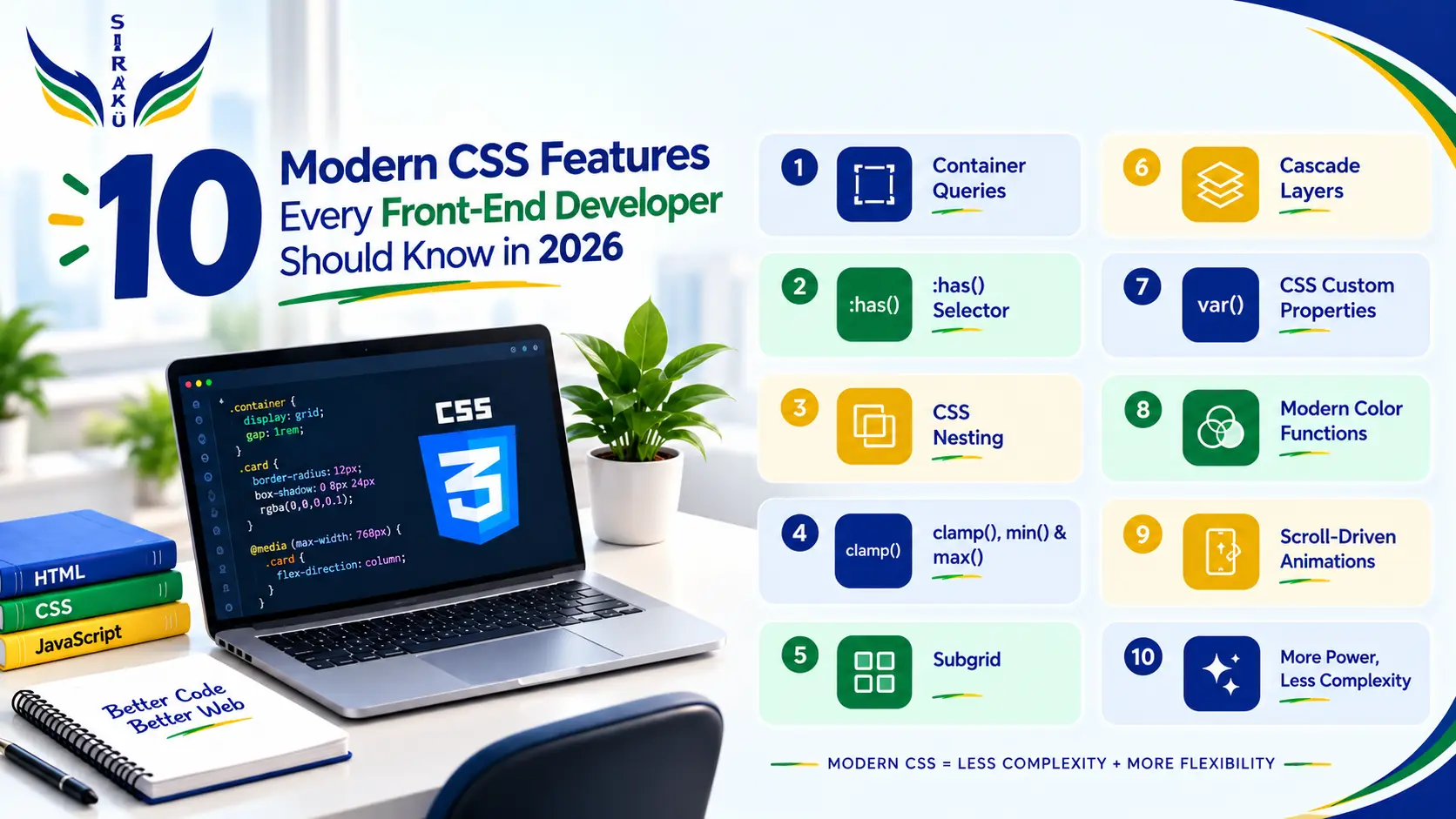
10 Modern CSS Features Every Front-End Developer Should Know in 2026
CSS is no longer just a language for changing colors, fonts, margins, and layouts. Over the years, it has evolved into a powerful system capable of handling many responsive behaviors, component-level styling decisions, animations, and design-system requirements directly in the browser.
For frontend developers, this evolution is important because many problems that previously required JavaScript, preprocessors, additional libraries, or complicated CSS workarounds can now be solved with native CSS.
That doesn’t mean JavaScript is becoming unnecessary. Instead, modern CSS allows developers to keep presentation and UI behavior closer to the styling layer, while JavaScript can focus on application logic and more complex interactions.
In 2026, understanding modern CSS isn’t just about knowing new syntax. It’s about knowing when a modern CSS feature can make your implementation simpler, more flexible, and easier to maintain.
Let’s look at 10 features that are particularly useful for modern frontend development.
1. Container Queries
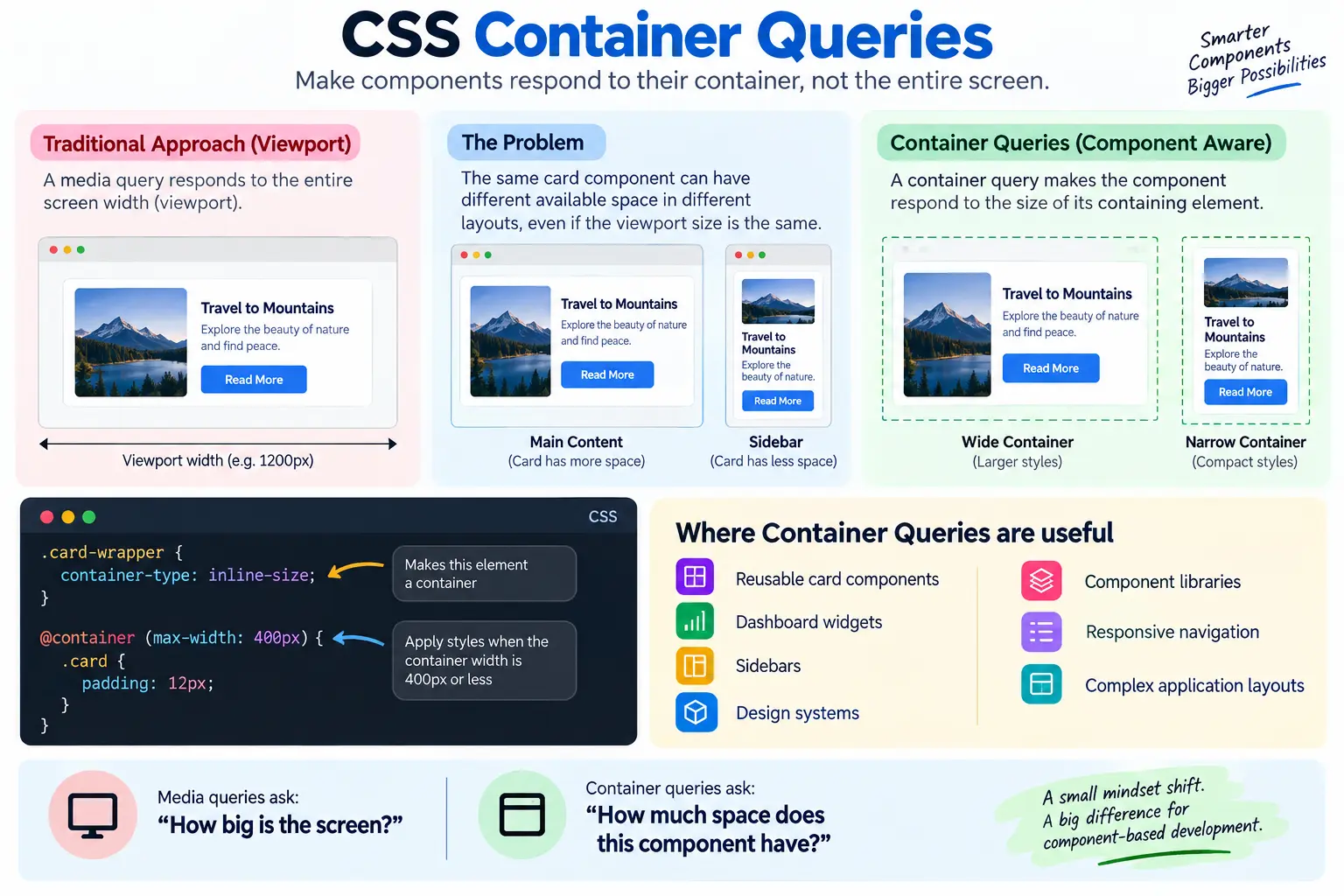
Traditional responsive design usually starts with the viewport.
For example, developers commonly write a media query that changes a component when the browser becomes smaller than a particular width.
But there’s a problem with this approach: components don’t always know or care about the size of the entire screen.
Imagine you have the same card component on two pages. On one page, the card occupies most of the screen. On another page, the card sits inside a narrow sidebar.
The viewport hasn’t changed, but the available space for the component has.
This is where Container Queries become useful.
Instead of making a component respond to the viewport, a container query allows it to respond to the size of its containing element
					.card-wrapper {
  container-type: inline-size;
}

@container (max-width: 400px) {
  .card {
    padding: 12px;
  }
}
This makes reusable components much more adaptable.
Where Container Queries are useful
- Reusable card components
- Dashboard widgets
- Sidebars
- Design systems
- Component libraries
- Responsive navigation
- Complex application layouts
The important mindset shift is simple:
Media queries ask: “How big is the screen?”
Container queries ask: “How much space does this component have?”
For component-based frontend development, that distinction can make a big difference.
2. The :has() Selector
CSS selectors have traditionally allowed us to select an element based on its own properties or its relationship with certain elements.
The :has() pseudo-class takes this much further.
It allows CSS to style an element based on something inside it or related to it.
For example:
					.card:has(img) {
  padding-top: 0;
}
This means the .card can receive different styling if it contains an image.
That might sound like a small improvement, but it can remove the need for JavaScript in many simple UI situations.
Consider a form. You might want the form group to change its styling when the input inside it is invalid. Previously, developers often added a class using JavaScript.
With modern CSS, some of these relationships can be handled directly through selectors.
:has() can be useful for:
- Form states
- Navigation
- Cards
- Parent styling
- Conditional layouts
- Interactive components
- UI states
However, :has() shouldn’t be treated as a replacement for JavaScript. If something requires actual application logic, CSS isn’t the right tool.
The real benefit is that simple visual relationships can remain in CSS instead of requiring JavaScript just to add or remove a class.
3. CSS Nesting
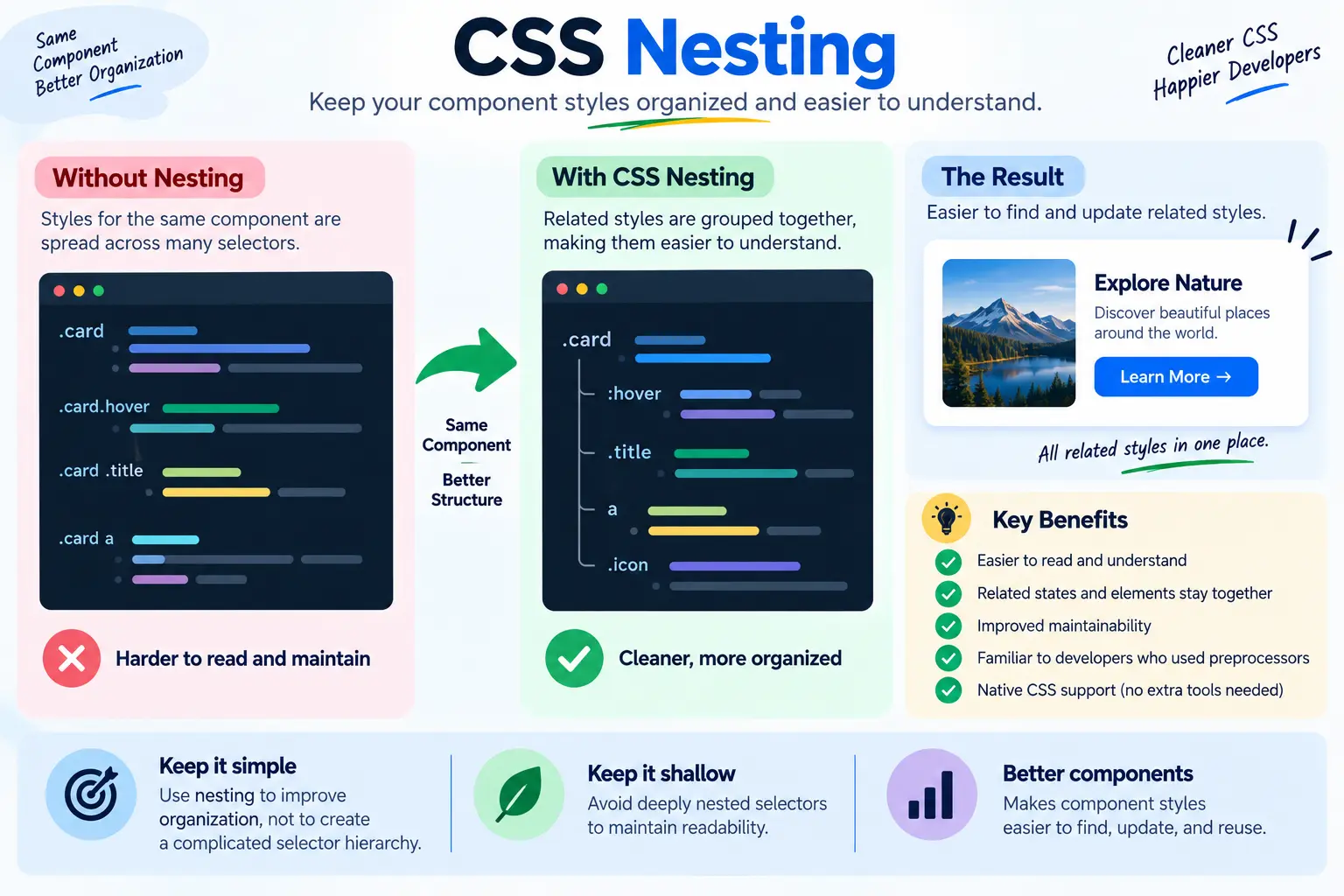
Large stylesheets can become difficult to read when styles for the same component are spread across many different selectors.
Modern CSS supports native nesting, which allows related styles to be grouped together.
					.card {
  padding: 20px;

  &:hover {
    transform: translateY(-2px);
  }
}
This is familiar to developers who have used CSS preprocessors, but native CSS nesting means this organization can be achieved directly with CSS.
Nesting can make component styles easier to understand because related states and elements are located together.
For example, a developer looking at the .card styles can quickly find its hover state, heading styles, links, and other related rules.
But there is an important principle:
Don’t confuse nesting with better architecture.
Deeply nesting selectors can still make CSS difficult to maintain.
A good approach is to keep nesting relatively shallow and use it to improve organization rather than creating a complicated selector hierarchy.
4. clamp() for Fluid Design
One of the biggest challenges in responsive design is creating layouts that work smoothly between predefined breakpoints. A heading, for example, may need to be smaller on mobile, slightly larger on tablets, and much larger on desktop. Traditionally, developers might use multiple media queries to define different sizes for each screen width, but modern CSS provides a more flexible approach with clamp().
The clamp() function allows a value to grow or shrink within defined boundaries by specifying a minimum value, a preferred value, and a maximum value. This makes it especially useful for creating fluid interfaces where elements can adapt continuously to the available screen size instead of changing only at specific breakpoints.
It can be used for responsive typography, headings, paragraph sizes, section spacing, margins, padding, and layout dimensions. By reducing the need for multiple breakpoint-specific values, clamp() can make CSS simpler, more flexible, and easier to maintain. More importantly, it helps create interfaces that feel natural across different screen sizes, providing a smoother experience between mobile, tablet, and desktop layouts.
For example, a hero heading can use clamp() to automatically adjust its size across different screens:
.hero-title { font-size: clamp(1.5rem, 4vw, 3rem); }
Here, 1.5rem is the minimum size, 4vw is the preferred fluid size, and 3rem is the maximum size. The heading can therefore grow or shrink with the viewport while staying within the defined limits, without requiring multiple media queries.
This same approach can be applied to spacing as well. For example, padding: clamp(16px, 3vw, 40px); allows a section’s padding to adapt smoothly from smaller to larger screens.
5. subgrid
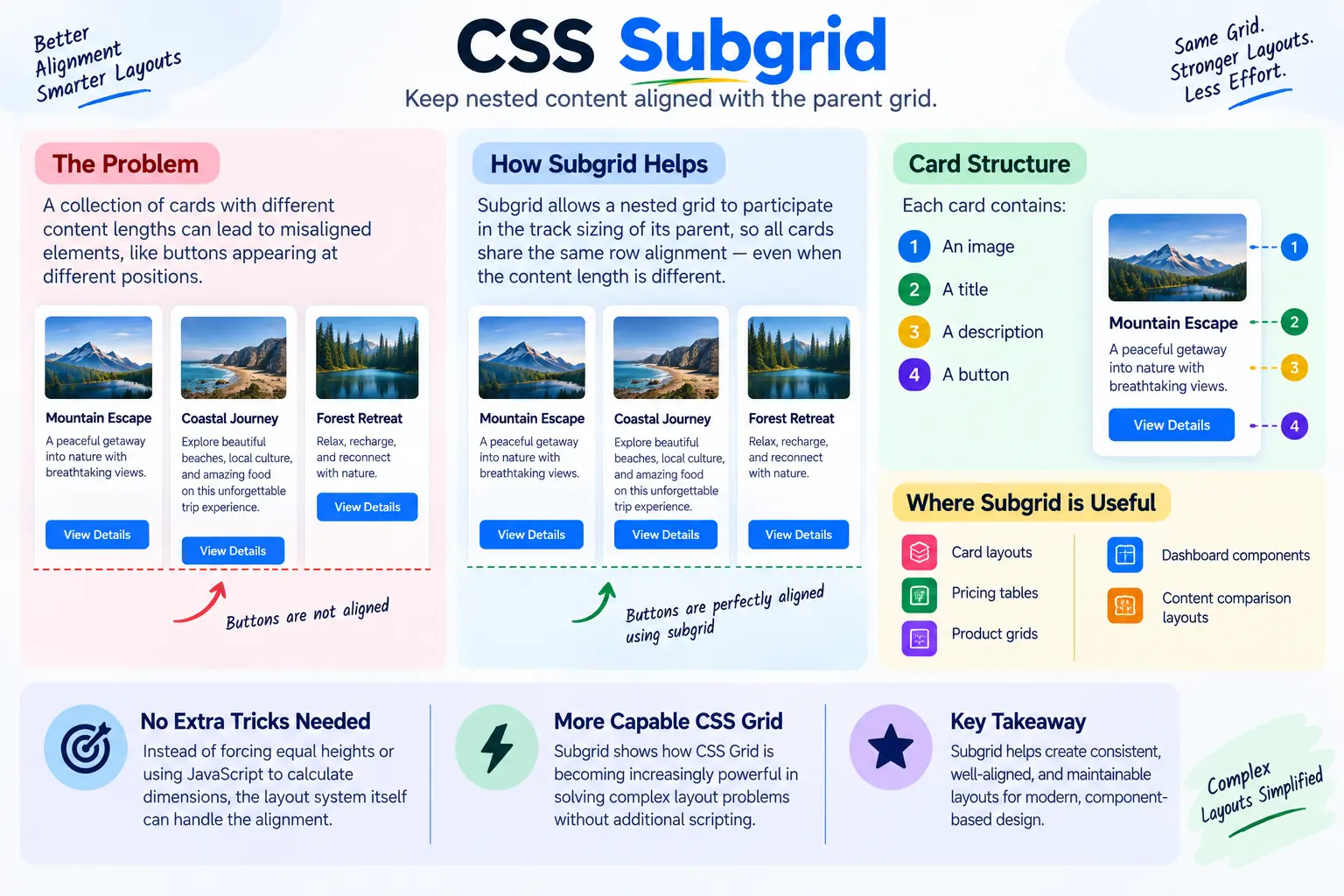
CSS Grid changed how developers approach complex layouts. But one common challenge is keeping nested content aligned with the grid of its parent.
This is where subgrid can help.
Imagine a collection of cards. Each card contains:
- An image
- A title
- A description
- A button
The content length may be different for every card.
Without careful layout planning, the buttons might appear at different vertical positions.
subgrid allows a nested grid to participate in the track sizing of its parent.
Conceptually:
					.card {
  display: grid;
  grid-template-rows: subgrid;
}
This becomes especially useful for:
- Card layouts
- Pricing tables
- Product grids
- Dashboard components
- Content comparison layouts
Instead of forcing equal heights or using JavaScript to calculate dimensions, the layout system itself can handle the alignment.
The broader lesson is that CSS Grid is becoming increasingly capable of solving complex layout problems without additional scripting.
6. Cascade Layers
As a frontend application grows, CSS conflicts become increasingly common.
You might have:
- Browser defaults
- Reset styles
- Global styles
- Component styles
- Utility classes
- Third-party styles
- Theme styles
Developers often solve conflicts by increasing selector specificity.
That can work temporarily, but eventually you end up with selectors such as:
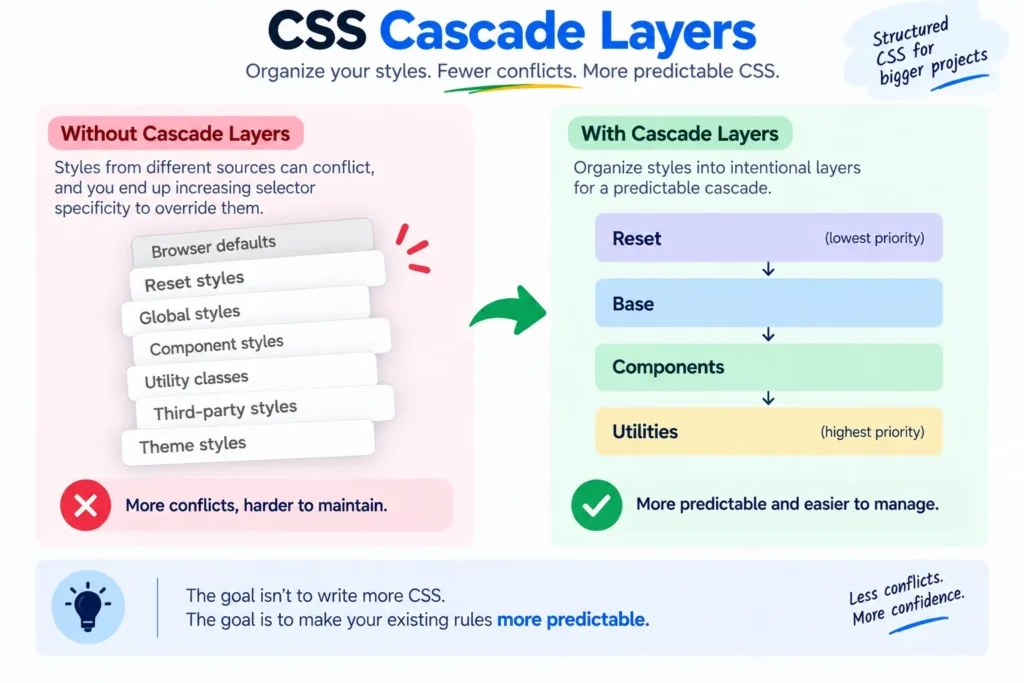
As CSS projects grow, developers may rely on increasingly specific selectors to override conflicting styles, making the cascade harder to manage. Cascade Layers provide a more structured approach by organizing styles into intentional layers such as Reset, Base, Components, and Utilities, making the cascade easier to understand and more predictable.
This approach is especially useful in large applications, design systems, and projects that use third-party CSS. Instead of constantly increasing selector specificity, developers can define which group of styles should take priority. This helps reduce CSS conflicts, makes styles easier to debug, and keeps the overall stylesheet more maintainable.
The goal isn’t to create more CSS rules, but to make existing rules more predictable, easier to manage, and simpler to scale as the project grows.
7. CSS Custom Properties
CSS Custom Properties, commonly called CSS variables, have become a fundamental part of modern frontend development.
Instead of repeating the same values throughout a stylesheet, you can define them once.
					:root {
  --primary-color: #2563eb;
  --spacing-md: 16px;
}

Then reuse them:

.button {
  background: var(--primary-color);
  padding: var(--spacing-md);
}
The real power appears when you start building a design system.
Imagine your application has dozens of components using the same colors, spacing values, border radius, and typography scale.
Instead of changing every component individually, you can manage these values through custom properties.
Common applications
- Design systems
- Dark mode
- Themes
- Component libraries
- Spacing systems
- Color systems
- Responsive values
Custom properties also make CSS more dynamic because values can change depending on the element, container, theme, or state.
For modern frontend projects, CSS variables are much more than a convenient replacement for duplicated values.
They can become the foundation of your design system.
8. Modern Color Functions
Color management is another area where CSS has become much more capable.
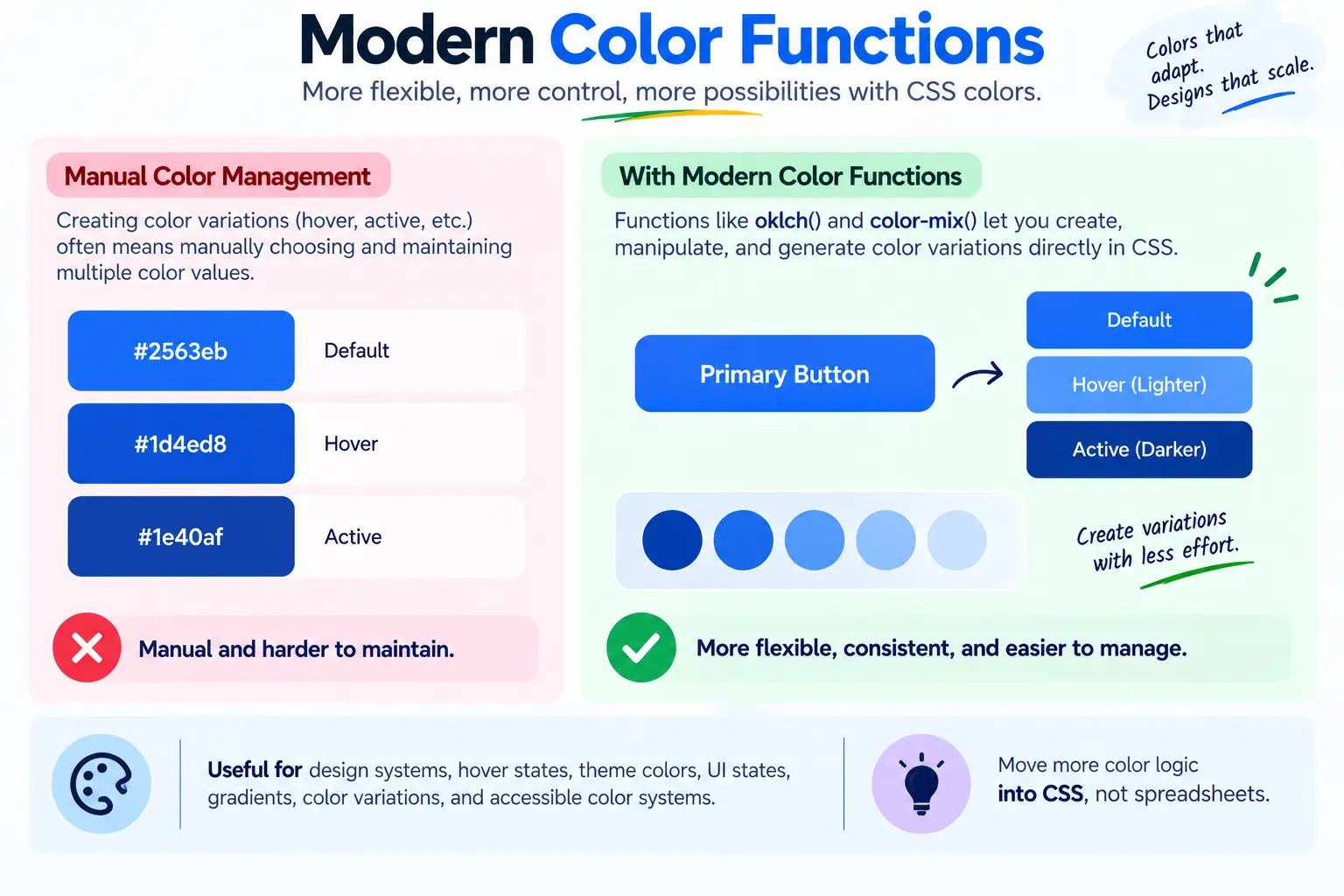
Modern CSS color functions provide developers with more flexible ways to define, manipulate, and create colors.
For example:
					.button {
  background: oklch(60% 0.2 250);
}
Functions such as oklch() provide another way to represent colors, while color-mix() can be used to create color variations.
For example, a design system may need a slightly lighter version of a brand color for a hover state.
Instead of manually creating another hexadecimal value, CSS can calculate a variation.
This can be useful for:
- Design systems
- Hover states
- Theme colors
- UI states
- Gradients
- Color variations
- Accessible color systems
The larger benefit is that developers can move more color logic into CSS instead of maintaining large collections of manually generated color values.
9. min() and max()
Responsive design often involves setting boundaries for flexible layouts. For example, a container can grow as the screen becomes larger while still respecting a maximum width using min(), while max() can ensure that a value never falls below a defined minimum. Together, these functions make responsive layouts easier to control without relying on complicated calculations.
					.container {
  width: min(90%, 1200px);
}
					.section {
  padding: max(20px, 5vw);
}
These functions become particularly powerful when combined with other CSS functions.
For example:
min()
max()
calc()
clamp()
Together, they allow developers to describe responsive relationships directly in CSS.
This can reduce the need for excessive media queries and make layouts more fluid.
10. Scroll-Driven Animations
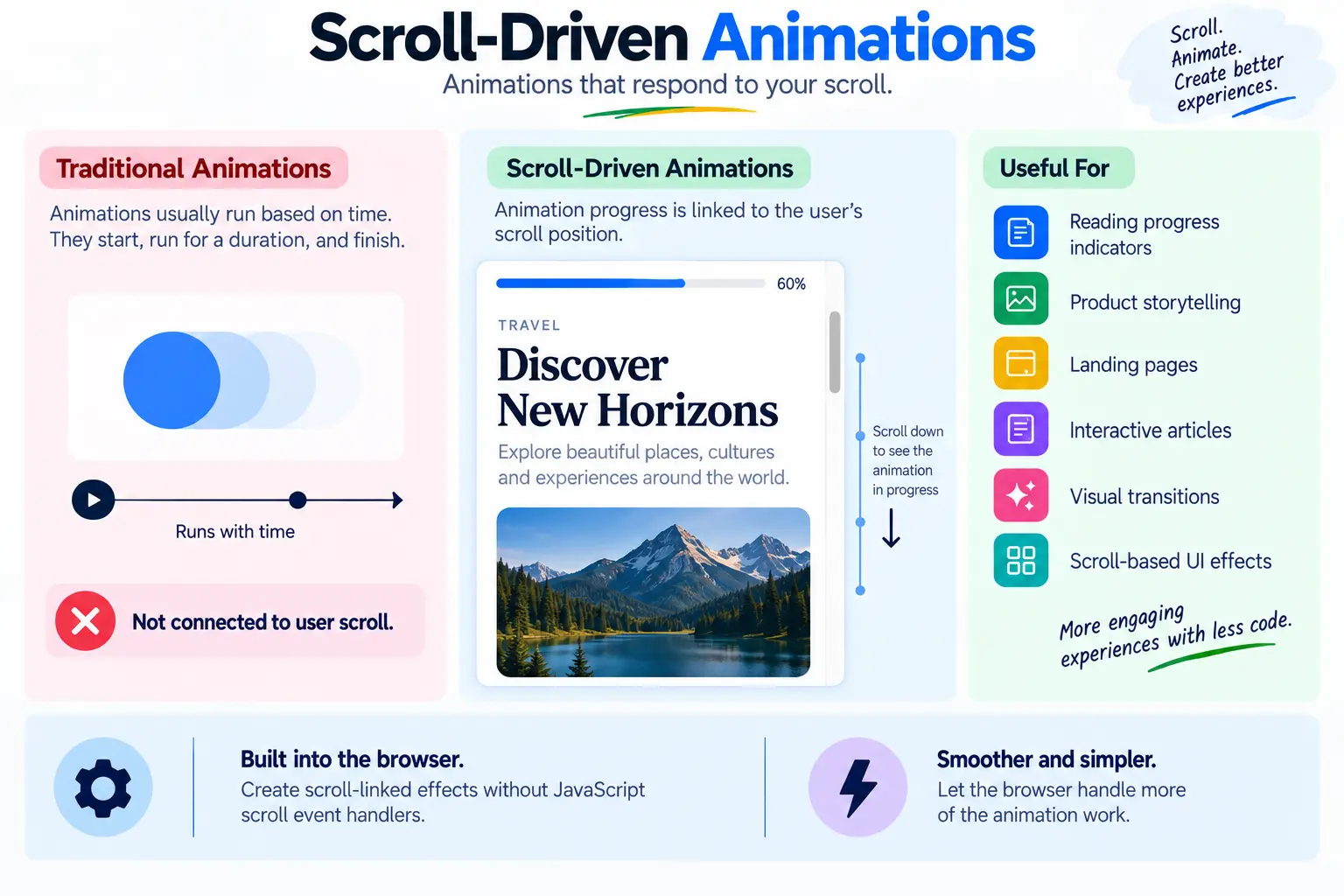
Animations are often connected to time, where an animation starts, runs for a certain duration, and finishes. Modern CSS also provides ways to connect animation progress to scrolling, opening up new possibilities for interfaces where animations respond to the user’s scroll position. For example, a reading progress indicator can change as the user moves through an article, creating a more interactive experience without relying entirely on traditional time-based animations.
					.progress {
  animation: grow linear;
  animation-timeline: scroll();
}
This can be useful for:
- Reading progress indicators
- Product storytelling
- Landing pages
- Interactive articles
- Visual transitions
- Scroll-based UI effects
The advantage is that developers can create certain scroll-linked effects without writing JavaScript scroll event handlers.
That can make the implementation simpler and allow the browser to handle more of the animation work.
Modern CSS Isn't About Using Every New Feature
It’s tempting to look at a list of modern CSS features and immediately start using all of them, but that’s not the goal. Good frontend development isn’t about using the newest technology everywhere; it’s about understanding which tool is appropriate for a particular problem.
For example, Container Queries can help when a component needs to respond to the space available to it, while clamp() can create fluid headings without relying on multiple media queries. Subgrid can simplify consistent alignment across nested grid content, and :has() can handle certain parent-child styling relationships that might otherwise require JavaScript.
The real value of modern CSS is that it gives developers more options. Understanding when and why to use each feature is more important than simply using every new feature available. The best solution is often the one that keeps the code simple, maintainable, and appropriate for the problem.
Modern CSS vs JavaScript
One of the most interesting changes in frontend development is the growing overlap between CSS capabilities and JavaScript-based UI solutions. In the past, developers often reached for JavaScript when CSS couldn’t express a particular visual behavior, but modern CSS can now handle many presentation-related tasks directly.
A useful rule is to use CSS for presentation and visual relationships, and JavaScript for application logic or behavior that CSS cannot express. For example, changing a component’s appearance based on its container size is a CSS responsibility, while fetching data from an API requires JavaScript. Similarly, creating a visual hover state can be handled with CSS, whereas processing a payment requires application logic.
Keeping this separation clear can reduce unnecessary JavaScript, simplify the codebase, and make applications easier to understand, maintain, and optimize. The goal isn’t to replace JavaScript with CSS, but to use each technology where it is most appropriate.
How These Features Can Improve Your Frontend Workflow
The biggest advantage of modern CSS isn’t necessarily writing fewer characters.
It’s about reducing unnecessary complexity.
A solution that previously required:
JavaScript
+
CSS
+
Extra classes
+
Event listeners
may sometimes be expressible with:
Modern CSS
That can mean fewer moving parts and fewer places for bugs to appear.
Modern CSS can also improve component reusability. Container Queries, custom properties, Grid, subgrid, and modern selectors allow components to adapt to their environment instead of depending on one specific page layout.
Conclusion
Modern CSS has become significantly more capable.
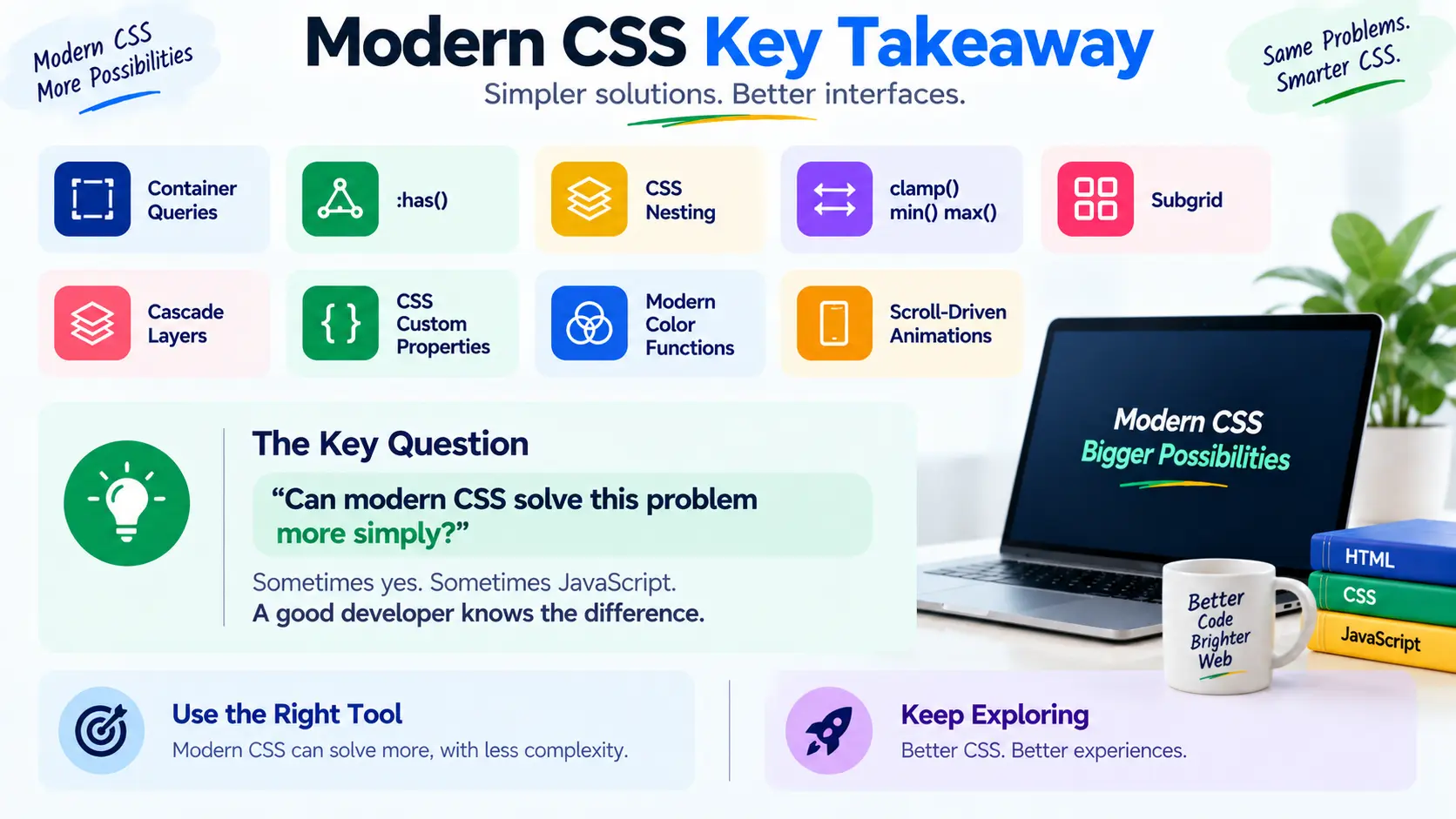
Container Queries allow components to respond to their environment. :has() provides powerful relationship-based styling. CSS Nesting improves organization, while clamp(), min(), and max() make responsive values easier to express.
At the same time, subgrid improves complex layouts, Cascade Layers provide better control over the cascade, and CSS Custom Properties provide a strong foundation for design systems.
Modern color functions and scroll-driven animations add even more possibilities for creating flexible and interactive interfaces.
The most important takeaway isn’t to start using every new CSS feature tomorrow.
It’s to develop a better question:
“Can modern CSS solve this problem more simply?”
Sometimes the answer will be yes. Sometimes JavaScript will still be the right choice.
A good frontend developer knows the difference.