
10 Modern JavaScript Features Every Front-End Developer Should Know in 2026
JavaScript has evolved significantly over the years. What started as a scripting language for adding basic interactivity to web pages has become one of the core technologies behind modern web applications. Today, front-end developers use JavaScript to build complex interfaces, handle API communication, manage application state, process data, create interactive experiences, and power large-scale applications.
As the language continues to evolve, developers are gaining access to features that make common programming tasks easier and more expressive. Some of these features reduce repetitive code, while others provide safer ways to work with data, asynchronous operations, modules, and application state. Understanding these improvements can help developers write cleaner and more maintainable front-end code.

Why Modern JavaScript Matters
Modern JavaScript is not simply about using newer syntax. The real value comes from solving common development problems with simpler and more reliable approaches. Front-end applications frequently work with incomplete API responses, large collections of data, asynchronous operations, dynamically loaded functionality, and constantly changing application state. Modern JavaScript provides built-in capabilities for many of these situations.
For developers, this means fewer custom helper functions and less repetitive code. Features such as optional chaining, nullish coalescing, non-mutating array methods, modern promise APIs, and improved iteration tools allow developers to express their intentions more clearly. However, developers should still understand what each feature does, when it should be used, and whether it is supported by the browsers and environments targeted by their application.
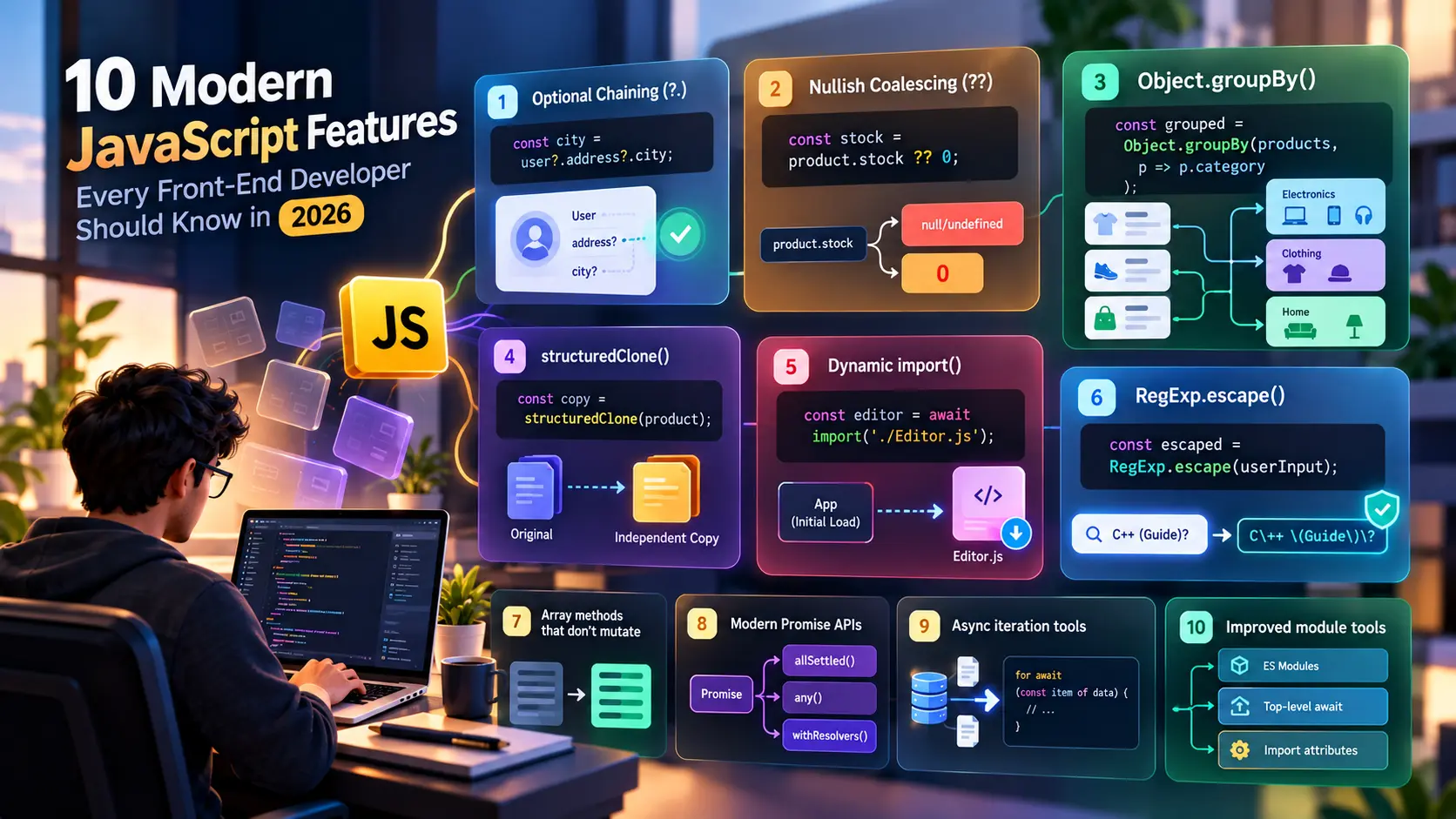
1. Optional Chaining with ?.
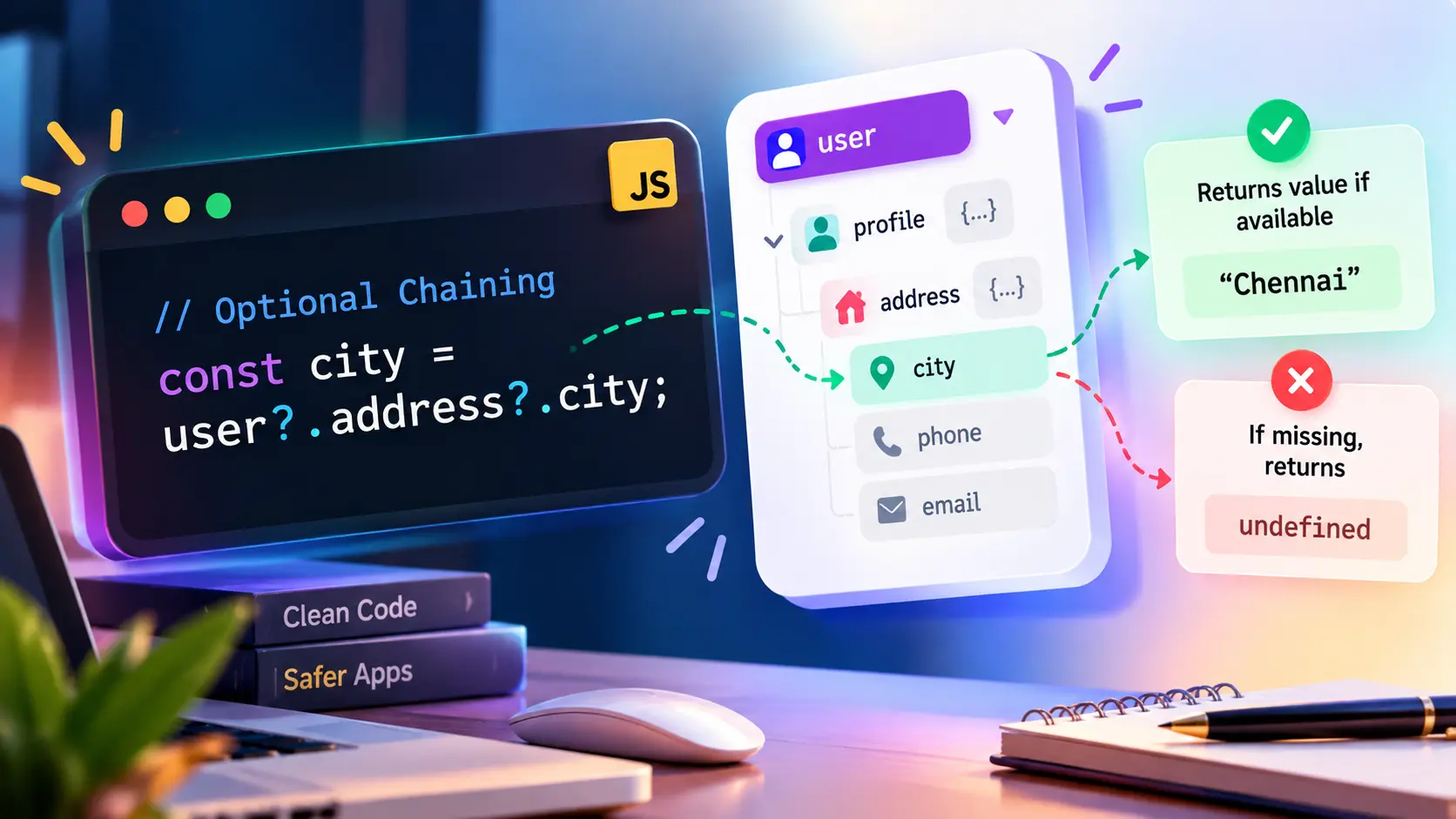
Optional chaining is one of the most useful features for applications that work with nested or potentially missing data. Front-end applications regularly consume information from APIs, configuration files, component properties, and user-generated data, and not every response will contain every possible property. Accessing a missing nested property directly can result in a runtime error, especially when several levels of data are involved.
Optional chaining allows developers to safely access properties without having to write multiple conditional checks. If a value somewhere in the chain is null or undefined, the expression stops and returns undefined. This makes it particularly useful for displaying optional information such as profile details, addresses, preferences, or configuration values.
It can also be used when calling optional functions. This is useful in component-based applications where a callback may or may not be provided. Although optional chaining makes code safer, it should not be used simply to hide programming errors. If a particular property is required for an application to work correctly, explicit validation may be more appropriate.
2. Nullish Coalescing with ??
The nullish coalescing operator provides a convenient way to supply fallback values when a value is specifically null or undefined. This is especially useful in front-end applications where API responses may omit optional fields. Instead of writing additional conditional logic, developers can define a sensible fallback directly where the value is used.
One important difference between ?? and the traditional logical OR operator is that ?? does not treat every falsy value as missing. Values such as 0, false, and an empty string can be valid application data. For example, an e-commerce application may legitimately receive a product quantity of zero, and replacing that value with a default using || could produce incorrect information.
const stock = product.stock ?? 0;
In this example, 0 remains 0, while the fallback is used only when product.stock is null or undefined. This makes ?? particularly useful for quantities, prices, configuration settings, pagination values, and optional API fields. It is also commonly combined with optional chaining, allowing developers to safely access a nested value and provide a fallback when it is unavailable.
3. Object.groupBy()
Front-end applications often receive arrays containing objects that need to be organized into logical groups before they can be displayed. A dashboard may need to group transactions by status, an e-commerce application may need to organize products by category, and an administration system may need to group users according to their roles.
Object.groupBy() provides a direct way to perform this operation. Instead of manually creating an object, checking whether a group exists, creating an array, and then adding items to it, developers can describe the grouping operation directly. This improves readability and makes the purpose of the transformation easier to understand.
The feature is particularly useful when transforming API responses into structures that are easier for UI components to consume. Developers should still choose between Object.groupBy() and Map.groupBy() based on the type of keys they need and should verify compatibility when supporting older environments.
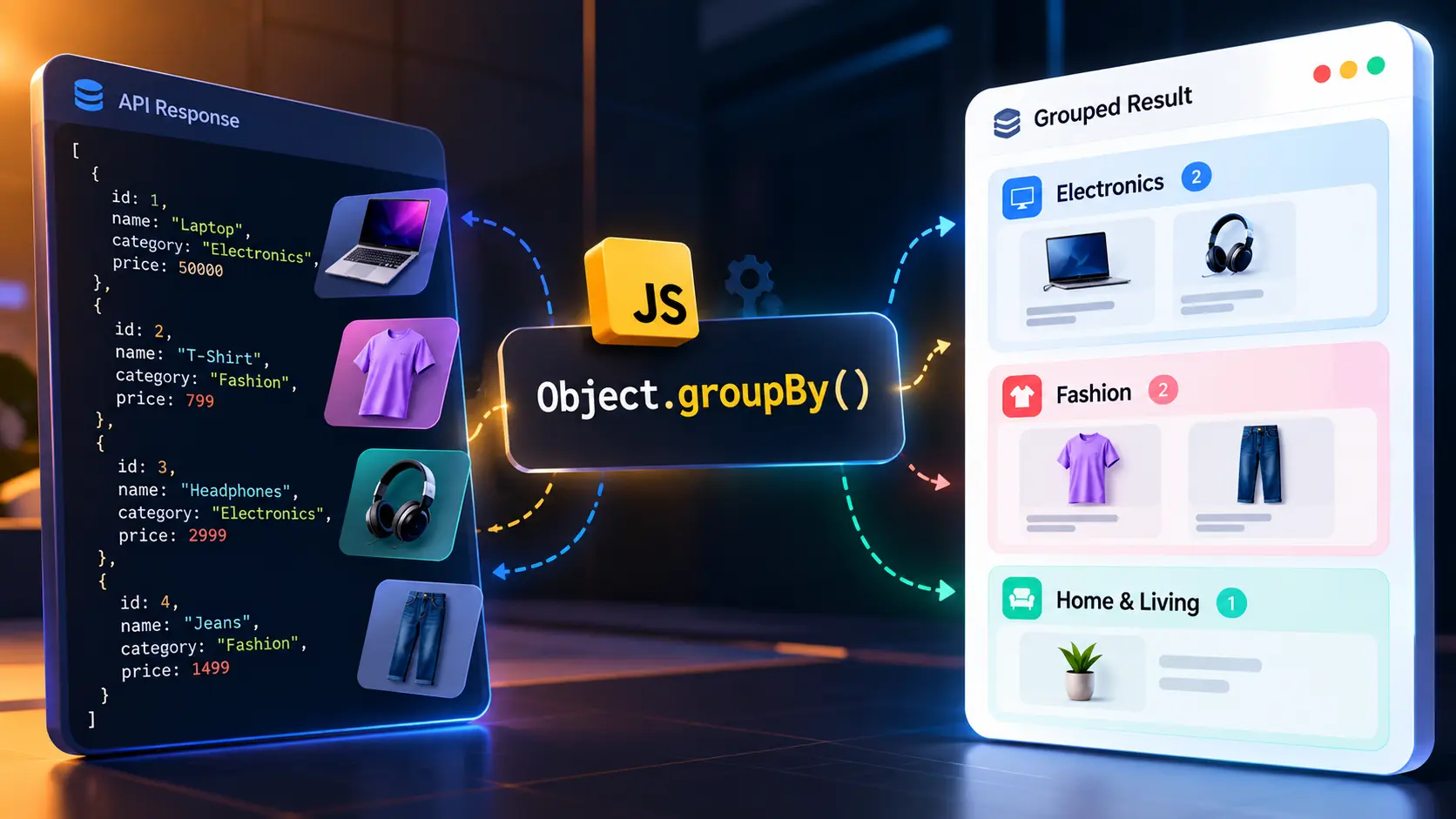
Another useful aspect of grouping is that it reduces repetitive transformation code. Developers frequently create custom reduce() implementations for grouping, especially in older codebases. While reduce() remains extremely useful and is not obsolete, Object.groupBy() can communicate the intention more directly when the actual requirement is simply to divide a collection into groups.
For example, an e-commerce application could group products by category before displaying them on a category-based product page. A reporting dashboard could group transactions according to their payment status, allowing the interface to display successful, pending, and failed transactions separately. The same concept can be applied to almost any collection of objects that contains a meaningful grouping property.
Developers should also understand the difference between Object.groupBy() and Map.groupBy(). Object.groupBy() is designed for situations where groups can be represented using object keys, while Map.groupBy() is useful when grouping requires more flexible key types. Choosing between them should depend on the structure of the data rather than simply using whichever method appears newer.
4. Non-Mutating Array Methods
Arrays are one of the most frequently used data structures in front-end development. Product lists, user records, search results, notifications, menu items, and API responses are commonly represented as arrays. Because these arrays are often shared between different parts of an application, accidentally modifying an existing array can lead to unexpected behavior.
Traditional methods such as sort(), reverse(), and splice() modify the array on which they are called. This behavior isn’t necessarily bad, but it can become problematic when the original array represents application state or data that another component still expects to remain unchanged.
Modern JavaScript introduced non-mutating alternatives such as toSorted(), toReversed(), and toSpliced(). These methods perform similar operations while returning a new array. The original collection remains unchanged, which makes the data transformation more predictable.
					const sortedProducts = products.toSorted(
  (a, b) => a.price - b.price
);
For example, consider a product listing where the original API response should remain unchanged while the interface displays products according to price. toSorted() makes that intention explicit. The application gets a sorted version for display without changing the original dataset.
This approach is particularly relevant to modern front-end frameworks and state-management patterns. When application state is treated as immutable data, creating new values instead of modifying existing ones can make changes easier to track. It can also reduce unexpected side effects when the same data is used by multiple components.
The same principle applies to toReversed() and toSpliced(). Instead of reversing or removing elements from an existing array, developers can create a transformed version. This doesn’t mean traditional mutating methods should never be used. They remain useful when modifying a local array is intentional. The important point is understanding the difference and choosing the behavior that matches the application’s requirements.
These methods also improve readability because their names communicate an important property of the operation: the original array is not changed. That small distinction can make a significant difference when debugging complex front-end applications where the same data may flow through multiple components.
5. structuredClone()
Objects in JavaScript can contain several levels of nested data. A customer object might contain an address object, which may itself contain several properties. A product may contain pricing information, inventory information, category information, and configuration details. When developers need to create a separate copy of such data, understanding how JavaScript handles references becomes important.
A common approach is to use the spread operator or Object.assign(). These approaches are useful for creating shallow copies, but they do not completely duplicate nested objects. If a nested object is still shared between the original and copied structure, changing that nested object can affect both values.
structuredClone() provides a built-in mechanism for creating a deep copy of supported structured data. This can simplify situations where developers need an independent copy without manually copying every nested level.
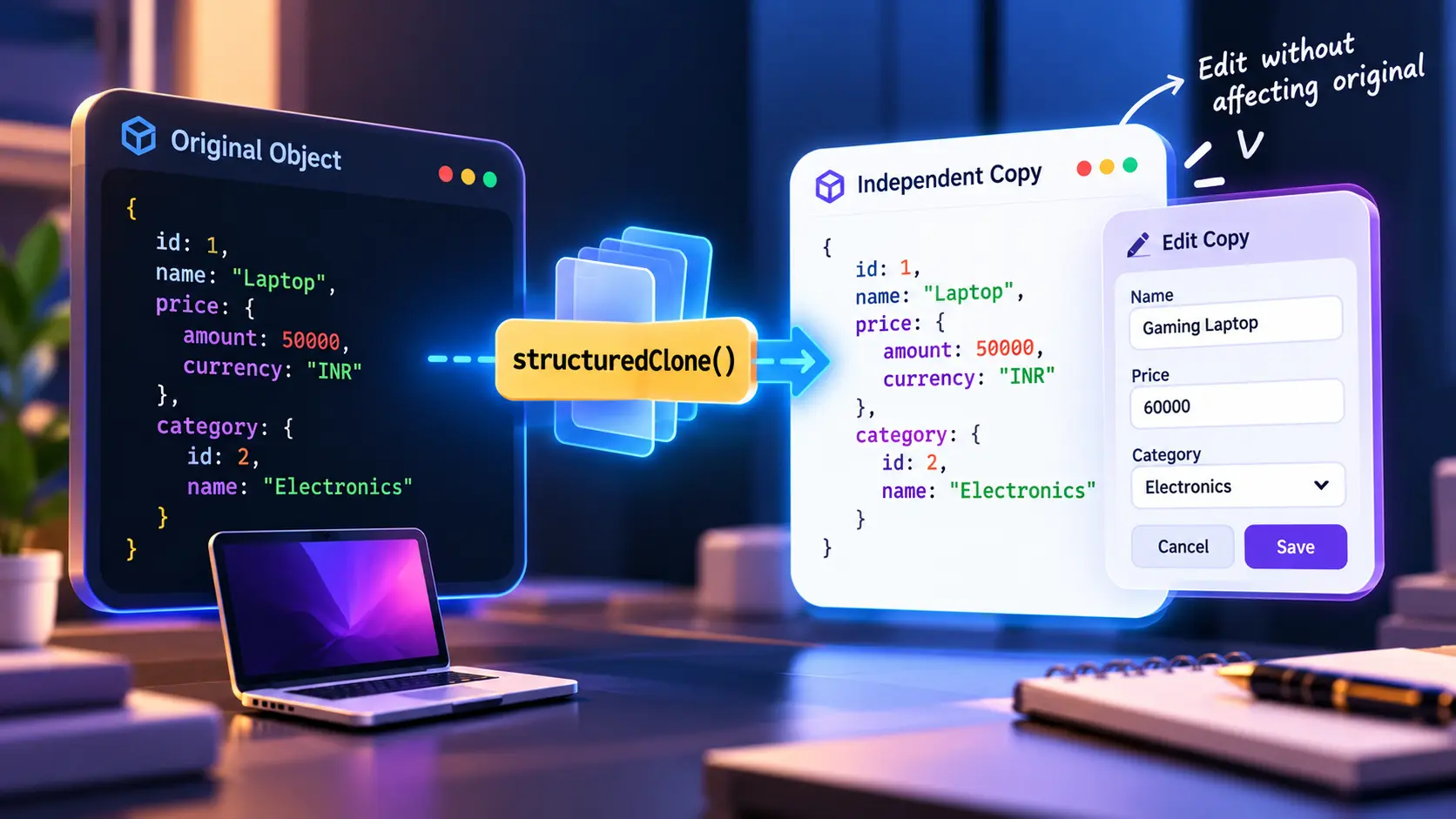
Consider a product management application. The original product returned by the API may need to remain unchanged while a user edits the product in a form. Creating an independent copy allows the form to modify its working data without directly changing the original object.
This pattern is particularly useful in editing interfaces. An application might load existing customer information, create a working copy for an edit form, allow the user to make several changes, and only update the original data after the user clicks Save. If the user chooses Cancel, the original data can remain untouched.
structuredClone() can also handle several structured data types that are not conveniently handled by JSON-based cloning approaches. However, it is important to understand that it does not clone everything in JavaScript. Functions and certain other values are not supported by the structured clone algorithm.
Developers should therefore treat structuredClone() as a useful tool for appropriate data rather than as a universal replacement for every copying strategy. The type and complexity of the data should determine whether it is the right choice.
6. Promise.allSettled()
As front-end applications become more connected to external services, asynchronous operations have become a fundamental part of development. A single page may communicate with several APIs to retrieve information needed for different sections of the interface. A dashboard might request user information, orders, analytics, notifications, recommendations, and other data independently.
The challenge is that these requests do not always have the same level of importance. If one service fails, it may not make sense to prevent every other part of the application from working. A temporary failure in a notification service, for example, should not necessarily prevent a user from viewing their orders.
Promise.allSettled() is useful in exactly these situations. It allows multiple promises to run and waits until all of them have completed, whether they were fulfilled or rejected.
const results = await Promise.allSettled([ fetch("/api/users"), fetch("/api/orders"), fetch("/api/notifications") ]);
The result contains information about the outcome of every operation. Successful promises can be processed normally, while rejected promises can be handled individually. This gives developers more control over how a partially successful application should behave.
For example, suppose a dashboard successfully loads customer details and sales information but fails to retrieve notifications. The application can still display the customer and sales sections while showing a smaller error message in the notification area. This is generally more useful than showing a completely failed dashboard.
This is an important distinction between Promise.all() and Promise.allSettled(). Promise.all() is appropriate when every promise is required and one failure should cause the overall operation to fail. Promise.allSettled() is more appropriate when the promises are independent and the application wants to know the outcome of every operation.
The choice therefore depends on the relationship between the asynchronous tasks. Developers should not automatically replace Promise.all() with Promise.allSettled(). If the application genuinely cannot continue without every result, Promise.all() communicates that requirement more clearly.
7. Dynamic import()
Large front-end applications can contain a significant amount of JavaScript. As applications gain features, developers may add editors, charts, maps, payment components, reporting tools, administration features, and other functionality. Loading all of this code immediately can increase the amount of JavaScript the browser needs to download, parse, and execute during the initial page load.
Dynamic import() provides a way to load a module only when it is needed. Rather than importing a feature at the beginning of the application, developers can request the module when the user reaches the relevant part of the application or performs a particular action.
This is especially useful for features that are not required by every user. A website might have an advanced image editor that only some users open. Loading the editor only when the user chooses to use it can prevent unnecessary code from being loaded during the initial experience.
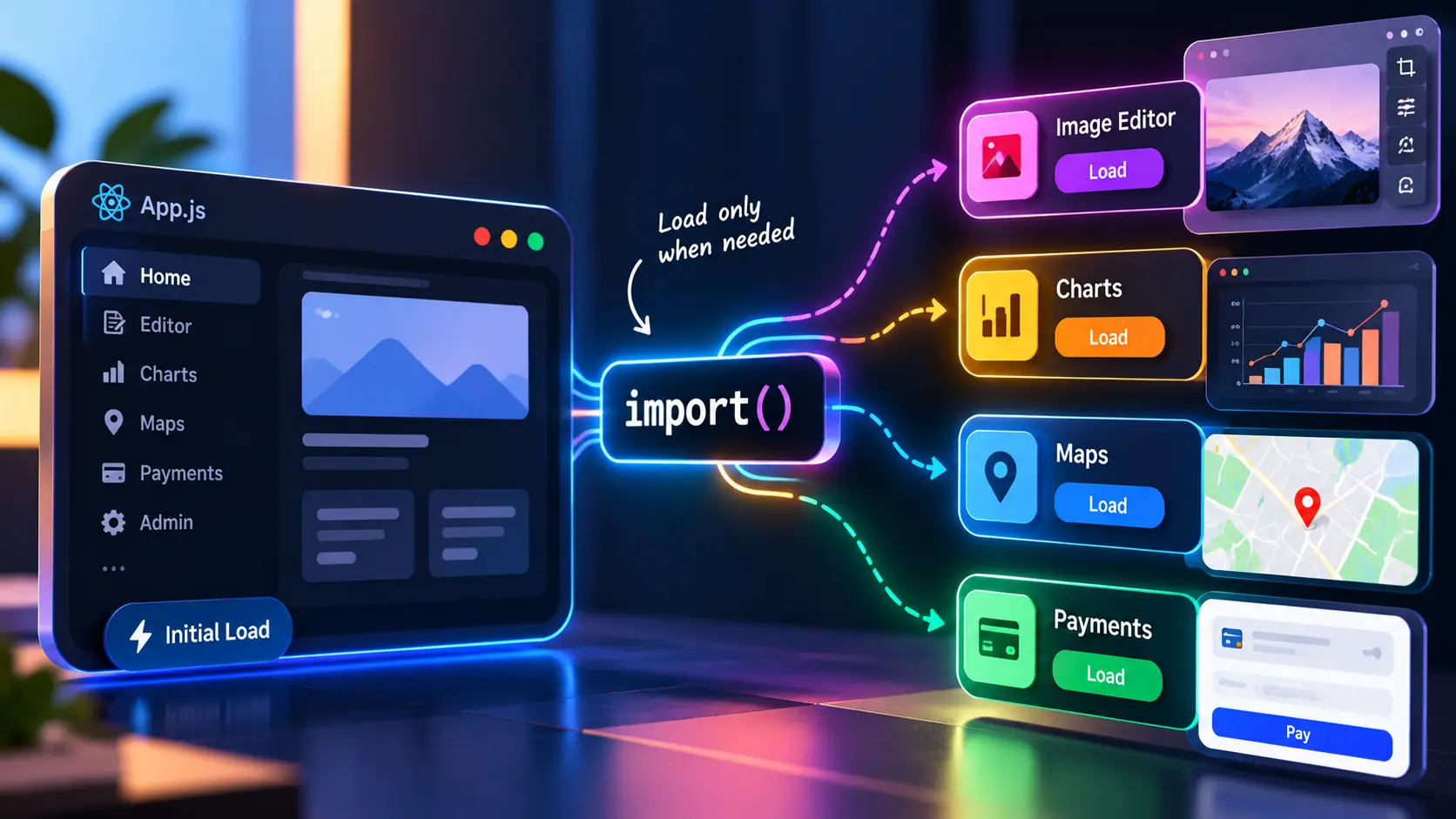
The same idea can be applied to analytics dashboards, administrative tools, rich text editors, mapping libraries, large visualization libraries, and other specialized functionality. Modern front-end build systems can use dynamic imports as part of code-splitting strategies, allowing large applications to divide their JavaScript into smaller pieces.
However, dynamic imports should be used strategically. Splitting an application into too many small modules can create additional network requests and increase complexity. Developers need to consider the size of the module, how frequently it is used, the application’s caching strategy, and the performance characteristics of the target users.
The goal is not to dynamically import everything. The goal is to avoid making users download and execute code that they do not need during the initial experience.
8. Promise.withResolvers()
Promises are one of the core mechanisms for handling asynchronous operations in JavaScript. In most situations, developers create a promise and resolve it from inside the promise constructor. This pattern works well when the operation that creates the promise also controls when the operation finishes.
There are situations, however, where the event that completes the operation occurs somewhere else. A user might need to click a button, a modal might need to close, an external event might arrive, or another part of an application might need to decide when the asynchronous operation is complete.
Promise.withResolvers() provides the promise together with its resolve and reject functions, making these patterns easier to express.
const { promise, resolve, reject } = Promise.withResolvers();
The advantage is that developers no longer need to create separate variables for the resolver functions outside the promise constructor. The promise and its controls are returned together, which can make event-driven code easier to organize.
One example is a custom modal system. An application could open a modal and return a promise that resolves when the user selects an option. Another part of the application can then await that promise instead of manually managing several callbacks.
This can also be useful in queue systems, event handlers, custom asynchronous utilities, and situations where one part of the application starts an operation while another part determines when it should finish.
Despite its flexibility, Promise.withResolvers() is not something every asynchronous function needs. For straightforward API calls and normal asynchronous workflows, async and await are generally easier to understand. The new API becomes valuable when the lifecycle of a promise needs to be controlled outside the location where the promise was created.
9. RegExp.escape()
Regular expressions remain useful in front-end development for validation, searching, filtering, text matching, and highlighting. However, dynamically constructing regular expressions requires additional care because user-provided text can contain characters that have special meaning inside a regular-expression pattern.
For example, a search interface may allow users to search for product names, technical terms, file names, or other arbitrary text. If that text is inserted directly into a regular expression, characters such as *, ., +, ?, or brackets may be interpreted as regular-expression syntax rather than literal characters.
RegExp.escape() provides a standard way to escape text before using it as part of a dynamically generated regular expression. This makes it easier to treat user-provided text as literal search content.
This can be particularly useful for applications that provide custom search and filtering features. A developer does not need to manually maintain an escaping function for every special regular-expression character when the built-in capability is available.
The feature is relatively new compared with long-established JavaScript APIs, so compatibility should be checked when developing applications that need to support older browsers or specific runtime environments. In projects where it is not available, an appropriate fallback may still be necessary.

10. Modern Iterator Capabilities
JavaScript has supported iterators and generator functions for many years, but their importance continues to grow as applications process increasingly complex and sometimes very large collections of data. An iterator provides a way to access values progressively instead of requiring all values to be created and stored at once.
This concept is particularly useful when dealing with sequences where values can be generated as they are needed. Instead of constructing a large array containing every possible value, an application can produce one value, process it, and then move to the next value.
function* numbers() { yield 1; yield 2; yield 3; } for (const number of numbers()) { console.log(number); }
Generators are one of the clearest examples of this approach. The yield keyword pauses execution and produces a value, allowing the next value to be generated only when the iterator requests it.
This becomes useful when the data source is large or when generating all values in advance would be unnecessary. For example, an application could process a sequence of generated records progressively rather than creating a huge intermediate array.
Modern JavaScript continues to expand the capabilities available for working with iterators. These improvements make iterator-based transformations more expressive and give developers additional options for working with sequences without always converting everything into arrays.
For everyday UI development, arrays will remain the most common choice because they are straightforward and work naturally with rendering operations. Iterator-based techniques become more interesting when dealing with generated values, lazy processing, large sequences, or data pipelines where creating intermediate collections may be unnecessary.
The broader concept is worth understanding even if a developer does not use iterators every day. Modern JavaScript increasingly provides ways to process data progressively, which can be valuable when applications need to work efficiently with larger or more dynamic datasets.
Modern JavaScript and Front-End Development
The features discussed above demonstrate how JavaScript is gradually providing built-in solutions for many problems that front-end developers encounter repeatedly. Instead of relying on custom utility functions for every situation, developers can increasingly use language and platform capabilities that clearly communicate their intent.
This also changes the way developers should think about writing JavaScript. The goal is not simply to reduce the number of lines in a file. A five-line solution is not automatically better than a ten-line solution if the shorter version is harder to understand. Good modern JavaScript should make the behavior of the application easier to reason about.
For front-end developers, this is particularly important because JavaScript often sits between multiple systems. It may receive data from an API, transform that data, store it as application state, and finally pass it into a UI component. Modern language features can make each of these transitions more predictable.
Browser Compatibility
Browser compatibility remains an important consideration when adopting modern JavaScript features. Although current browsers support a large portion of the modern language, newer APIs can have a shorter compatibility history than established features.
Developers should therefore consider the browsers, operating systems, webviews, and runtime environments supported by their applications. A feature that works perfectly in a current desktop browser may not necessarily be available in an older environment used by some users.
Build tools can transform certain JavaScript syntax for older environments, but not every API can be handled this way. Some features may require polyfills or alternative implementations. Checking compatibility before introducing a new API is therefore still an important part of professional front-end development.
Conclusion
Modern JavaScript is not about replacing every traditional technique with a newer feature. It is about having better tools available when a particular problem appears. A developer who understands why a feature exists can make better decisions than someone who simply memorizes its syntax.
Optional chaining and nullish coalescing simplify everyday data handling, while grouping and non-mutating array methods improve the way collections are transformed. structuredClone() provides a convenient option for creating independent copies of supported data, while modern promise capabilities offer more flexibility for asynchronous workflows.
Dynamic imports provide another tool for managing application loading, and newer APIs such as RegExp.escape() and modern iterator capabilities expand JavaScript’s ability to handle specialized development scenarios. Not every project needs every feature, and using fewer features can sometimes result in simpler code.
The most important takeaway is that modern JavaScript should be used intentionally. Developers should understand the problem first, select the appropriate language feature, consider browser compatibility, and keep the resulting code understandable for the rest of the team.
Modern JavaScript is not about writing newer-looking code. It is about solving common front-end problems with clearer, safer, and more maintainable solutions.