
Headless CMS Personalization: Strategies and Best Practices
Explore effective personalization strategies, implementation techniques, and best practices for delivering tailored digital experiences with a headless CMS while ensuring performance, scalability, and user privacy.
Introduction
Today’s users expect digital experiences that reflect their interests, preferences, and individual needs. Headless CMS personalization helps businesses deliver relevant content to different audiences across websites, mobile applications, and other digital channels. By separating content management from the presentation layer, businesses can customize user experiences without duplicating their entire content infrastructure. This approach provides flexibility, scalability, and greater control over how content is managed and delivered across digital platforms.
As digital experiences become more diverse, delivering the same content to every user may not always produce the most relevant results. Personalization allows businesses to adapt content based on meaningful differences between audiences while maintaining a centralized content management process. When implemented effectively, it can improve content relevance, support business goals, and create more engaging digital experiences.
🌟 What Is Headless CMS Personalization?
Headless CMS personalization is the process of delivering relevant content to users based on factors such as their preferences, behavior, location, or audience segment. A headless CMS stores structured content and makes it available through APIs, while the frontend application or an integrated personalization service determines which content to display. For example, an e-commerce website might show different promotional banners to first-time visitors and returning customers. This allows businesses to create targeted experiences while managing their content centrally.
Unlike traditional systems that may tightly couple content and presentation, a headless architecture allows personalization logic to operate independently of the content repository. Developers can integrate analytics platforms, customer data platforms (CDPs), or personalization engines to help select appropriate content using permitted user context. Depending on the platform, some personalization features may be built into the CMS, while others require external services or custom application logic. Therefore, a headless CMS does not automatically provide every personalization capability.
For example, a company could maintain several versions of a landing page headline for different customer segments. The CMS stores and manages these content variations, while the application or personalization service determines which version to display. This separation allows content teams to update messaging independently of the underlying presentation logic.
How Does Personalization Work in a Headless CMS?
Personalization combines structured content, audience information, and rules that determine which content is appropriate for a particular user or situation. Content editors create reusable content entries and variations in the CMS, while the application retrieves them through APIs. The frontend, backend, or a dedicated personalization service evaluates the available context and selects the relevant variation. The selected content is then rendered for the user through the application’s delivery process.
A typical personalization workflow includes the following steps:
-
Content creation
Editors create reusable content and variations in the headless CMS, ensuring that each entry contains the fields required by the application.
-
Audience segmentation
Users are grouped based on relevant attributes, preferences, or permitted behavioral data.
-
Context evaluation
The application or personalization service evaluates available information against defined rules to identify suitable content.
-
Content delivery
The appropriate content is retrieved or selected through an API or application service and rendered on the frontend.
-
Performance measurement
Analytics help determine whether the personalized experience improves the intended outcome and where further adjustments may be useful.
For example, a travel website could use a visitor’s selected language and destination preferences to display relevant travel guides, regional information, and suitable offers. The CMS manages the content, while the application applies the personalization rules. If no suitable variation is available, the website can display default content instead. This fallback ensures that visitors still receive a useful experience when personalization conditions are not met.
Key Personalization Strategies for Headless CMS
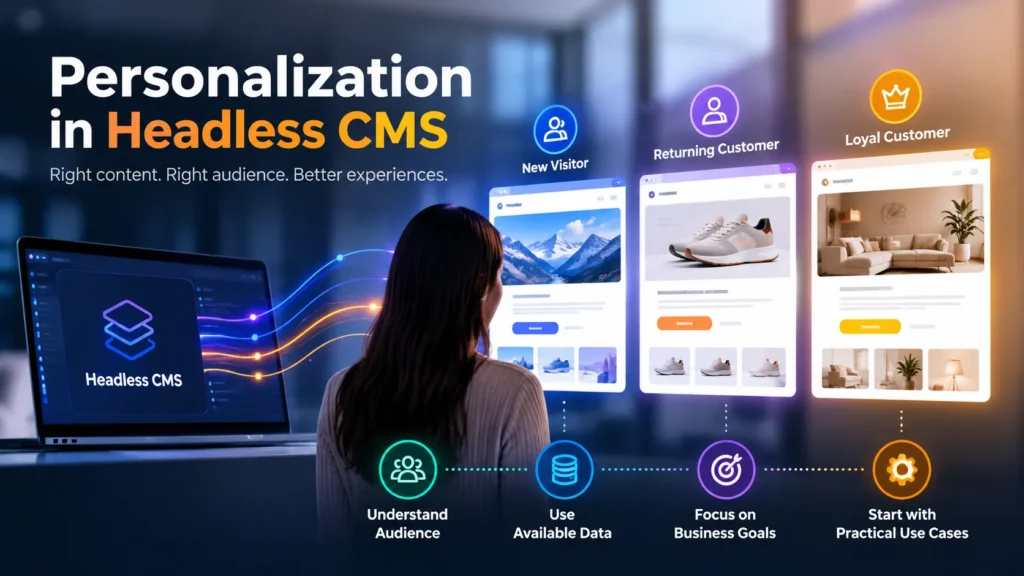
An effective personalization strategy begins with understanding what information is available and how it can improve the user experience. Businesses should focus on meaningful audience differences rather than creating unnecessary variations for every visitor. The right strategy depends on the business model, the content being delivered, the available data, and the goals of the digital experience. Starting with a few practical use cases can also help teams keep implementation and maintenance manageable.
1. Audience-Based Personalization
Audience-based personalization delivers different content to predefined groups of users. These groups might include new visitors, returning customers, subscribers, or business customers. Content editors can prepare appropriate variations, while application logic uses available audience attributes to select the relevant version. This strategy is useful for tailoring landing pages, promotional banners, product messaging, and calls to action to different audience needs.
For example, a software company might display introductory product information to first-time visitors and more detailed feature information to returning prospects. The content remains centrally managed, but the application selects the appropriate variation according to the audience segment. Businesses should define audience groups clearly and establish reliable rules for assigning users to them so that content selection remains consistent and maintainable.
2. Behavior-Based Personalization
Behavior-based personalization uses relevant user interactions to improve content recommendations and experiences. For example, a user who repeatedly explores a particular product category might receive related articles, product recommendations, or educational resources. This information may come from analytics tools, a CDP, or application-managed user preferences rather than the CMS itself. The application uses available signals to identify content that may be more relevant to the user’s interests.
This strategy requires careful consideration of data quality, user consent, and privacy. Businesses should collect only the information needed for the intended purpose and avoid making assumptions from incomplete behavioral signals. When implemented responsibly, behavior-based personalization can help users discover relevant content more easily while supporting a more useful and consistent digital experience.
3. Location and Language-Based Personalization
Location and language can help businesses provide more relevant information to different audiences. A global website might display localized landing pages, regional product information, or language-specific content based on a user’s selected locale. The CMS can store translated content and regional variations, while the application determines which version to display. This approach is particularly useful for businesses serving customers across multiple countries, regions, or language groups.
For example, a company might present different shipping information or regional promotions depending on the selected market. Language selection can also help users access content in their preferred language without navigating through unrelated versions. Location and language should not be treated as interchangeable signals: a user’s preferred language does not necessarily identify their physical location. Location-based personalization should use reliable, appropriately obtained information and allow users to change their preferences when necessary.
4. Contextual Personalization
Contextual personalization adapts content to the user’s current situation, such as the page being viewed, campaign source, or selected product category. For example, visitors arriving through a campaign link may see a matching headline, supporting information, and offer. This approach can often be implemented using contextual information without requiring extensive personal data. It helps businesses maintain continuity between the content that attracts visitors and the experience they encounter after arriving.
Contextual personalization can also support more relevant navigation, recommendations, and calls to action. However, teams should ensure that contextual rules are clearly defined and do not create inconsistent experiences between pages. Clear fallback rules help ensure that the experience remains useful when campaign parameters or other contextual information are missing.
How to Implement Personalization with a Headless CMS
A practical implementation process includes:
-
Define the objective
Choose a measurable goal, such as improving sign-ups, product discovery, or engagement with relevant content.
-
Design content models
Create reusable content types and clearly defined variations that editors can manage consistently.
-
Choose the execution layer
Decide whether personalization rules belong in the frontend, backend, or a dedicated service.
-
Connect the required data
Integrate appropriate APIs, analytics, or customer data systems when necessary and permitted.
-
Test and validate
Verify audience rules, default content, API responses, and behavior across different devices and scenarios.
-
Measure outcomes
Use analytics and controlled experiments where appropriate to evaluate effectiveness and identify opportunities for improvement.
Common Challenges and Best Practices
Although headless CMS personalization offers flexibility, it can introduce challenges involving data quality, content management, performance, and privacy. Too many content variations can make editorial workflows difficult to maintain, while poorly designed caching can accidentally serve one user’s personalized response to another. Additional API calls may also increase latency, particularly when multiple external services are involved. These challenges can affect both application reliability and the overall user experience if they are not addressed during implementation.
Businesses should begin with a small number of high-value personalization scenarios and expand only when results justify the added complexity. Content teams need clear naming conventions and preview workflows, while developers need testable rules and reliable fallback behavior. Monitoring should cover API latency, service failures, content accuracy, and the performance of personalized pages. Regular reviews can also help identify outdated content variations and unnecessary personalization rules.
Important best practices include:
-
Protect user privacy
Minimize data collection, apply appropriate consent controls, and restrict access to personal information according to applicable privacy requirements.
-
Design caching carefully
Ensure user-specific responses are not accidentally shared through public or shared caches. Use suitable cache keys, response directives, or private caching policies based on the implementation.
-
Provide default content
Display a useful fallback when user context is unavailable, no rule matches, or a personalization service fails.
-
Keep personalization rules maintainable
Avoid overlapping conditions and document how audience segments and content variations are evaluated.
-
Optimize API performance
Reduce unnecessary requests and use suitable caching strategies for non-personalized content to limit additional latency.
-
Support editorial previews
Allow content editors to review variations and test how they appear in different scenarios before publishing changes.
Another important consideration is consistency across digital channels. If personalized content is delivered through websites and mobile applications, the underlying rules and content structures should remain understandable and predictable. Teams should also verify that personalization does not prevent users from accessing essential information or create unnecessary differences in the core experience.
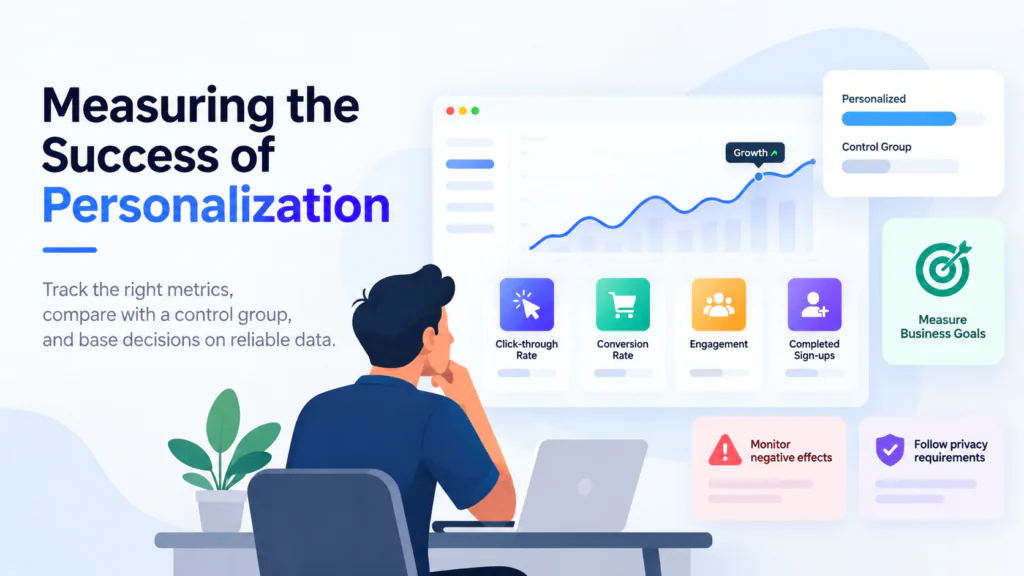
Personalization should be measured against specific business objectives rather than assumptions about what users prefer. Teams can track metrics such as click-through rate, conversion rate, engagement, and completed sign-ups to understand how content variations perform. Comparing personalized experiences with a suitable control group can help determine whether the changes produce meaningful improvements. Experiments should be designed carefully, with sufficient data to support reliable conclusions and avoid decisions based on short-term fluctuations.
The most useful metrics depend on the purpose of the personalized experience. A content publisher might prioritize article engagement and return visits, while an e-commerce business may focus on purchases or revenue per visitor. Teams should also monitor negative effects, including slower page rendering, increased abandonment, or inconsistent experiences. Analytics and experimentation must follow applicable privacy requirements and respect users’ data preferences.
The following metrics can help businesses evaluate personalization performance:
Metric | Purpose |
Click-through rate | Measures interaction with personalized links, recommendations, or banners |
Conversion rate | Tracks completion of a target action, such as a purchase or sign-up |
Engagement rate | Evaluates interactions with relevant content and digital experiences |
Revenue per visitor | Measures commercial value generated per visitor, where applicable |
Page performance | Identifies latency or rendering issues introduced by personalization |
Teams should review these metrics together rather than relying on a single measurement. For example, an increase in click-through rate may not necessarily lead to more conversions or better overall engagement. Where possible, teams should compare results against a suitable control group and account for factors that could affect the outcome. Evaluating both business results and technical performance helps determine whether a personalization strategy is genuinely improving the user experience.
Conclusion
Headless CMS personalization enables businesses to deliver relevant digital experiences while maintaining centralized, reusable content. By combining structured content, appropriate user context, and clearly defined personalization rules, teams can tailor websites and applications without duplicating entire content systems. This approach gives developers flexibility in how content is delivered while allowing editors to manage content variations through familiar workflows.
Successful implementation requires careful content modeling, suitable integrations, privacy safeguards, and reliable performance. Businesses should also establish clear goals, provide fallback experiences, and measure results to ensure that personalization delivers meaningful value. Starting with a focused use case and expanding based on evidence helps organizations develop sustainable personalization strategies while keeping their headless CMS architecture flexible and maintainable.