
Front-End Security Practices Every Developer Should Know in 2026
Introduction
Modern front-end development is no longer limited to building attractive interfaces and smooth user experiences. Today’s web applications handle authentication, payments, personal information, API requests, third-party services, and sensitive user actions—all within an environment exposed to the public internet.
That makes security an essential part of front-end development.
A secure application is not created simply by adding a few security headers before deployment. Security decisions appear throughout the development process: how data enters the application, how it is displayed, where authentication information is stored, how browsers communicate with other origins, and how third-party code is integrated.
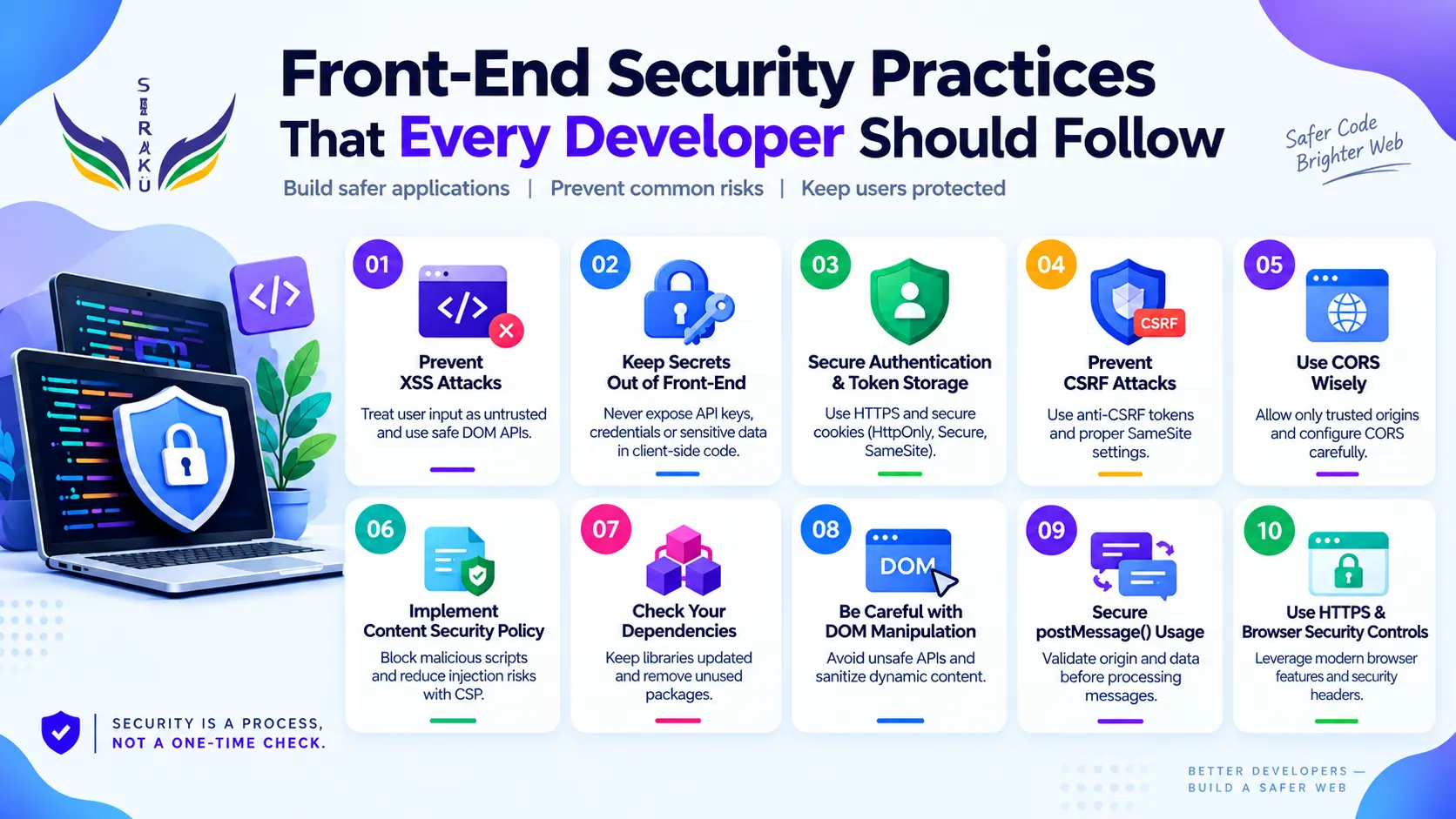
In this article, we’ll explore ten important security concerns that front-end developers should understand in 2026, along with practical approaches for reducing common risks.
1. Cross-Site Scripting (XSS)
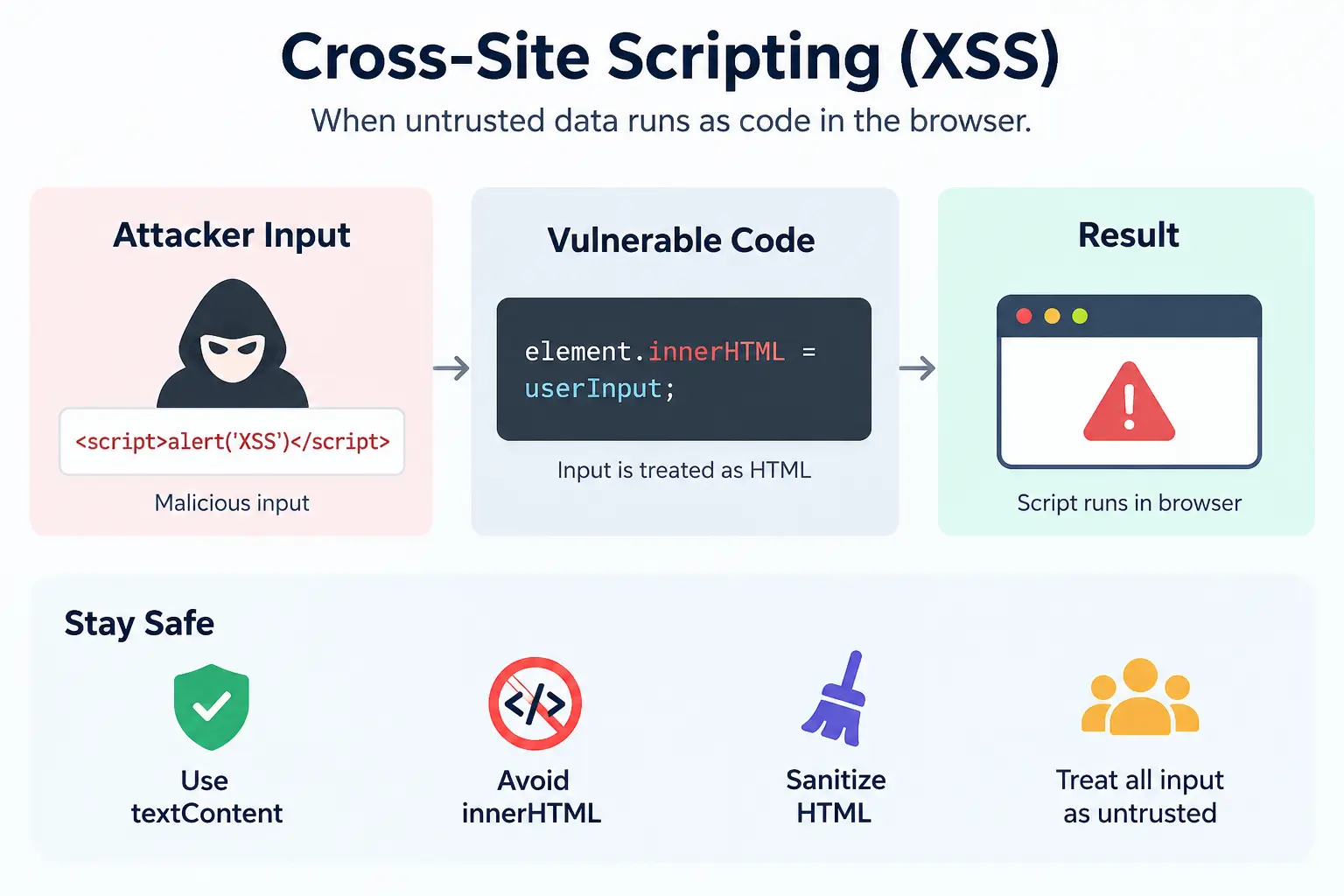
Cross-Site Scripting, commonly known as XSS, occurs when untrusted data is interpreted by the browser as executable content rather than ordinary data. Depending on the vulnerability, an attacker may be able to execute JavaScript in another user’s browser, access sensitive information, or perform actions within the user’s session.
One common example is inserting user-controlled content directly into the DOM:
Example:
element.innerHTML = userInput;
If userInput contains malicious HTML or script-related content, the browser may interpret it as markup instead of displaying it as text.
When the intention is simply to display text, a safer approach is:
element.textContent = userInput;Modern frameworks provide useful protections such as automatic escaping, but developers can still bypass those protections through unsafe APIs, dynamic HTML, URLs, or framework-specific escape hatches.
Front-end practice:
- Treat user input, API responses, URL parameters, and external data as untrusted.
- Prefer safe DOM APIs such as textContent.
- Avoid unnecessary use of innerHTML.
- Sanitize HTML when users genuinely need to submit formatted content.
- Understand the security implications of framework APIs that intentionally bypass escaping.
2. Exposing Secrets in Front-End Code
Anything delivered to a user’s browser should be considered potentially visible to that user.
This is why private API keys, database credentials, signing secrets, and other sensitive credentials should never be embedded in client-side JavaScript. Developers sometimes assume that minification, obfuscation, or environment variables will hide a secret from users, but if the value is ultimately shipped to the browser, it can potentially be discovered.
Example:
const API_SECRET = "my-private-secret";The variable name might disappear after a production build, but the secret itself still has to reach the browser for the code to use it.
A better architecture keeps genuinely sensitive credentials on a server:
Browser → Your Backend → Private APIThe browser can communicate with your application, while the backend handles credentials that should remain private.
Public configuration values can be exposed when they are intentionally designed to be public. The important distinction is knowing which values are actually secrets.
Front-end practice
- Never place private API keys or credentials in client-side code.
- Do not assume environment variables automatically make browser-exposed values secret.
- Keep sensitive operations behind a trusted backend.
- Review production JavaScript bundles and network requests for accidentally exposed credentials.
- Treat source maps and browser-accessible assets as potentially discoverable.
3. Unsafe Authentication and Token Storage
Authentication information is particularly valuable because it can provide access to user accounts and application functionality.
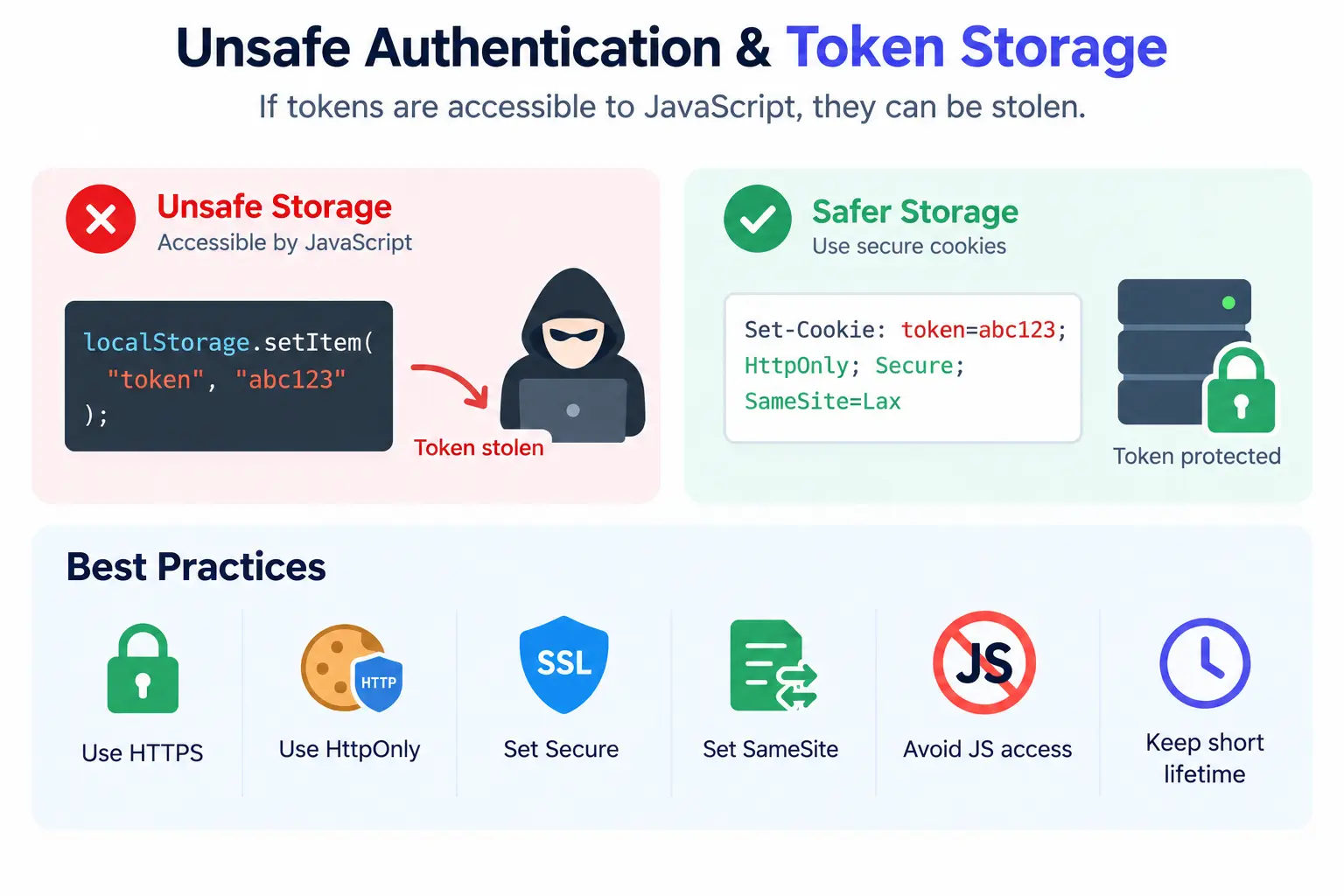
The way authentication data is stored therefore matters. If sensitive tokens are placed somewhere that JavaScript can freely access, an XSS vulnerability may make those tokens easier to steal.
Cookies provide several security controls that can help limit how authentication information is accessed and transmitted. Attributes such as Secure, HttpOnly, and SameSite each serve different purposes. For example, Secure restricts cookie transmission to HTTPS connections, while HttpOnly prevents JavaScript from directly accessing the cookie.
There is no single storage strategy that is appropriate for every application. Authentication architecture should be designed according to the application’s requirements, threat model, and backend implementation.
Front-end practice:
- Use HTTPS for authenticated applications.
- Consider HttpOnly for cookies that do not need JavaScript access.
- Configure Secure appropriately.
- Configure SameSite according to the application's authentication and cross-site requirements.
- Avoid exposing sensitive authentication information unnecessarily to client-side JavaScript.
- Keep authentication lifetimes and permissions appropriately limited.
The goal is not simply to choose a storage mechanism. It is to reduce the opportunities available if authentication information is targeted.
4. Cross-Site Request Forgery (CSRF)
Cross-Site Request Forgery, or CSRF, occurs when an attacker tricks a user’s browser into making an unwanted authenticated request to a trusted application.
This becomes particularly relevant when authentication relies on cookies because browsers can automatically include cookies with requests. If a vulnerable application does not properly distinguish legitimate requests from forged ones, an attacker may be able to cause actions to be performed using the victim’s authenticated session.
For example, an attacker could attempt to trick an authenticated user into submitting a form or making a state-changing request without realizing it.
CSRF protection should be designed around the application’s authentication model. Modern frameworks often provide built-in mechanisms, and applications using cookie-based authentication may need CSRF tokens or other appropriate defenses.
Front-end practice:
- Use framework-provided CSRF protection when available.
- Protect state-changing requests appropriately.
- Configure SameSite cookies carefully.
- Do not assume that hiding buttons or URLs provides security.
- Remember that authorization must ultimately be enforced on the server.
A useful distinction is that the front end can help prevent unwanted actions, but the server must be responsible for deciding whether an action is actually authorized.
5. Misconfigured CORS
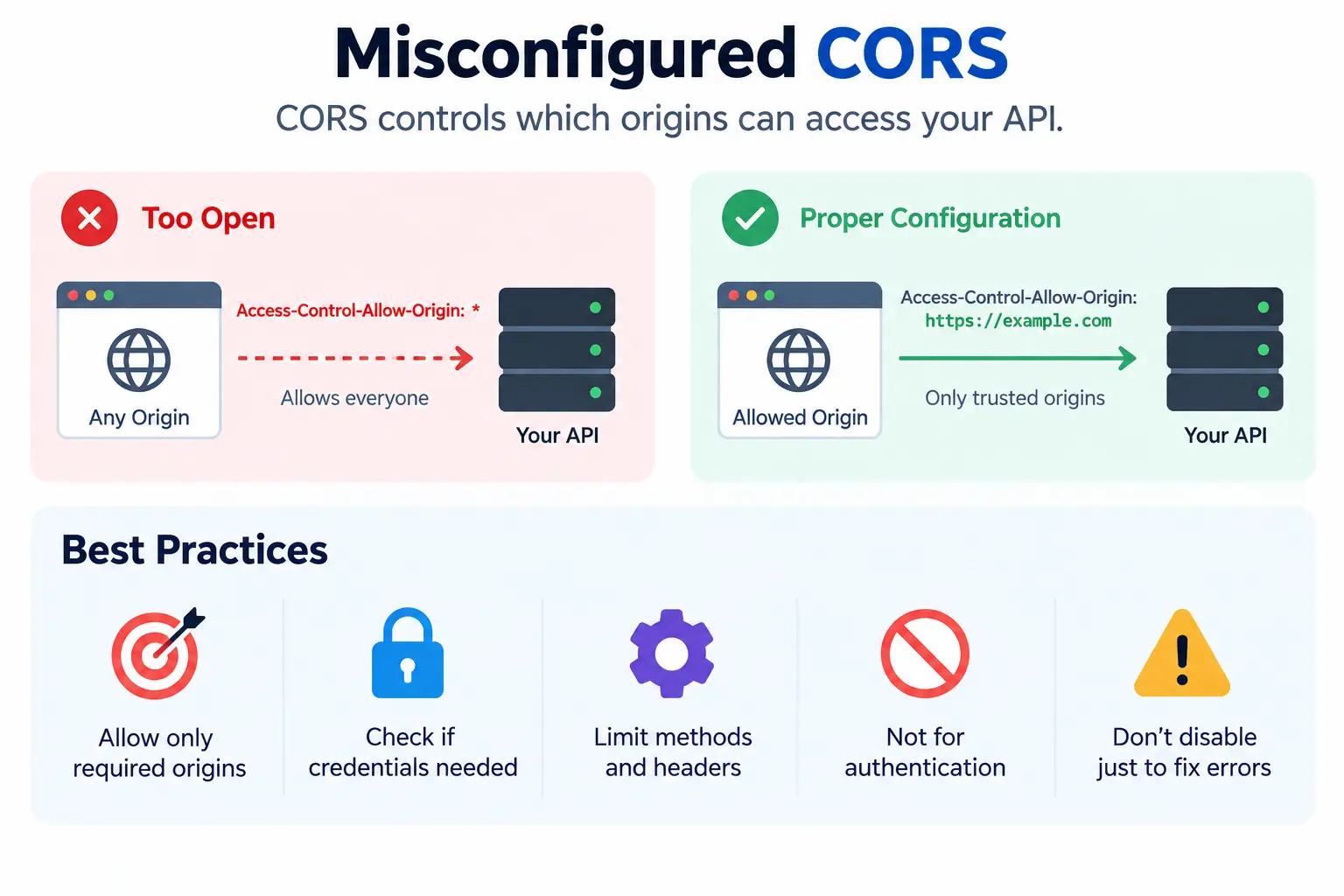
Cross-Origin Resource Sharing, or CORS, controls how browsers allow web pages from one origin to access resources from another origin.
CORS is frequently misunderstood as an authentication or authorization mechanism. It is neither. It is a browser mechanism that controls cross-origin access.
A common mistake is to encounter a CORS error during development and simply allow every origin.
For example:
Access-Control-Allow-Origin: *That configuration can be appropriate for genuinely public resources, but it should not automatically be applied to private APIs.
A better configuration defines exactly which origins need access and what those origins are allowed to do.
Front-end practice:
- Allow only the origins that actually require access.
- Understand whether the API is public or private.
- Review whether credentials are involved.
- Limit allowed methods and headers where appropriate.
- Do not treat CORS as a solution for authentication or authorization.
- Avoid changing CORS configuration simply to silence a browser error.
CORS errors can be frustrating during development, but weakening the security configuration just to make the error disappear can create a much bigger problem.
6. Weak or Missing Content Security Policy
Content Security Policy, commonly known as CSP, allows a website to tell the browser which types of resources and scripts are permitted to load or execute.
A properly designed CSP can provide an additional layer of defense against XSS and certain framing-related attacks. It can restrict where scripts, styles, frames, and other resources are allowed to originate.
However, CSP should not be treated as a replacement for secure coding. OWASP describes it as a defense-in-depth mechanism rather than the primary solution to XSS.
A strong security model therefore looks more like:
Secure coding
      +
Input handling
      +
Framework protections
      +
Content Security Policy
Each layer contributes to reducing the overall attack surface.
Front-end practice:
- Understand what resources your application actually needs.
- Restrict unnecessary script and resource sources.
- Consider a strict CSP where the application's architecture supports it.
- Review CSP policies rather than copying them blindly from another project.
- Use CSP as an additional security layer, not as a substitute for fixing vulnerabilities.
A CSP is most useful when it reflects the actual architecture of the application instead of being treated as a generic security template.
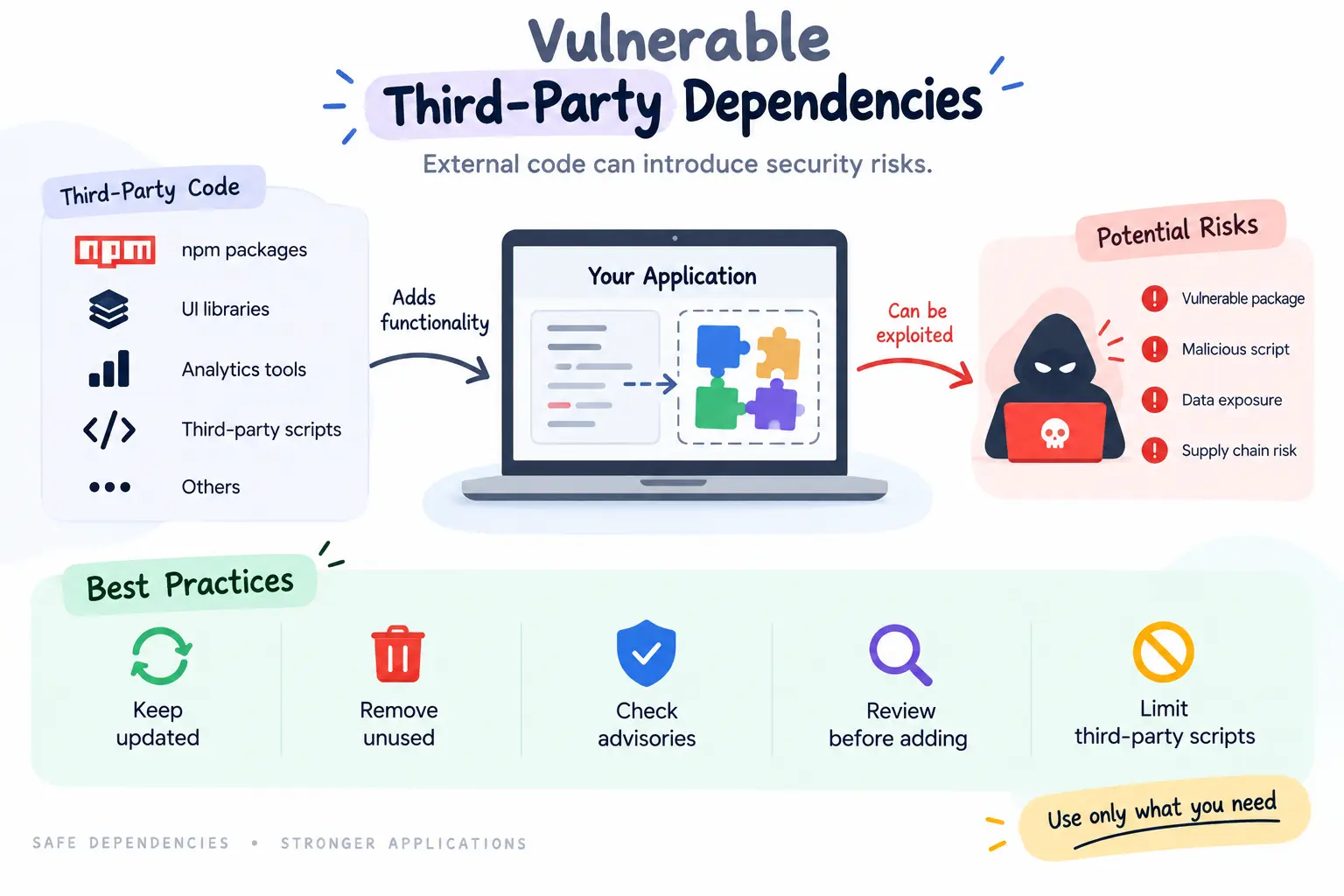
7. Vulnerable Third-Party Dependencies
Modern applications rarely contain only code written by the development team. Front-end projects commonly depend on npm packages, UI libraries, analytics tools, payment SDKs, authentication libraries, build tools, and external scripts.
Every dependency adds functionality, but it also introduces another component that needs to be maintained and reviewed.
The same applies to third-party JavaScript loaded directly into a page. External code can potentially interact with the application depending on how it is integrated. OWASP recommends considering isolation techniques such as sandboxed iframes for certain third-party code.
A small package may appear harmless, but its maintenance history, dependencies, update frequency, and security record are still relevant.
Front-end practice:
- Keep dependencies updated.
- Remove packages that are no longer required.
- Monitor security advisories.
- Review important dependencies before introducing them.
- Avoid adding a large package to solve a very small problem.
- Be careful with third-party scripts that have access to application pages.
- Keep the dependency footprint as manageable as possible.
Dependency management is not just about keeping build tools happy. It is also about understanding what code your application is trusting.
8. Unsafe DOM Manipulation
DOM manipulation is a normal part of front-end development, but certain APIs become dangerous when they receive attacker-controlled data.
The difference between displaying a value as text and interpreting it as HTML is particularly important.
For example:
element.innerHTML = data;can be dangerous when data is not trusted.
In contrast:
element.textContent = data;treats the value as text rather than HTML. OWASP specifically recommends safe DOM APIs such as textContent when working with untrusted data.
Developers should also be cautious when dynamically creating URLs, scripts, event handlers, or other browser-executable content.
Front-end practice:
- Prefer textContent when inserting plain text.
- Be careful with innerHTML and outerHTML.
- Avoid document.write() with untrusted data.
- Validate user-controlled URLs.
- Avoid dynamic code execution such as eval().
- Review framework APIs that intentionally render raw HTML.
The more dynamically an application constructs its interface, the more important it becomes to understand exactly how the browser interprets each value.
9. Unsafe postMessage() Communication
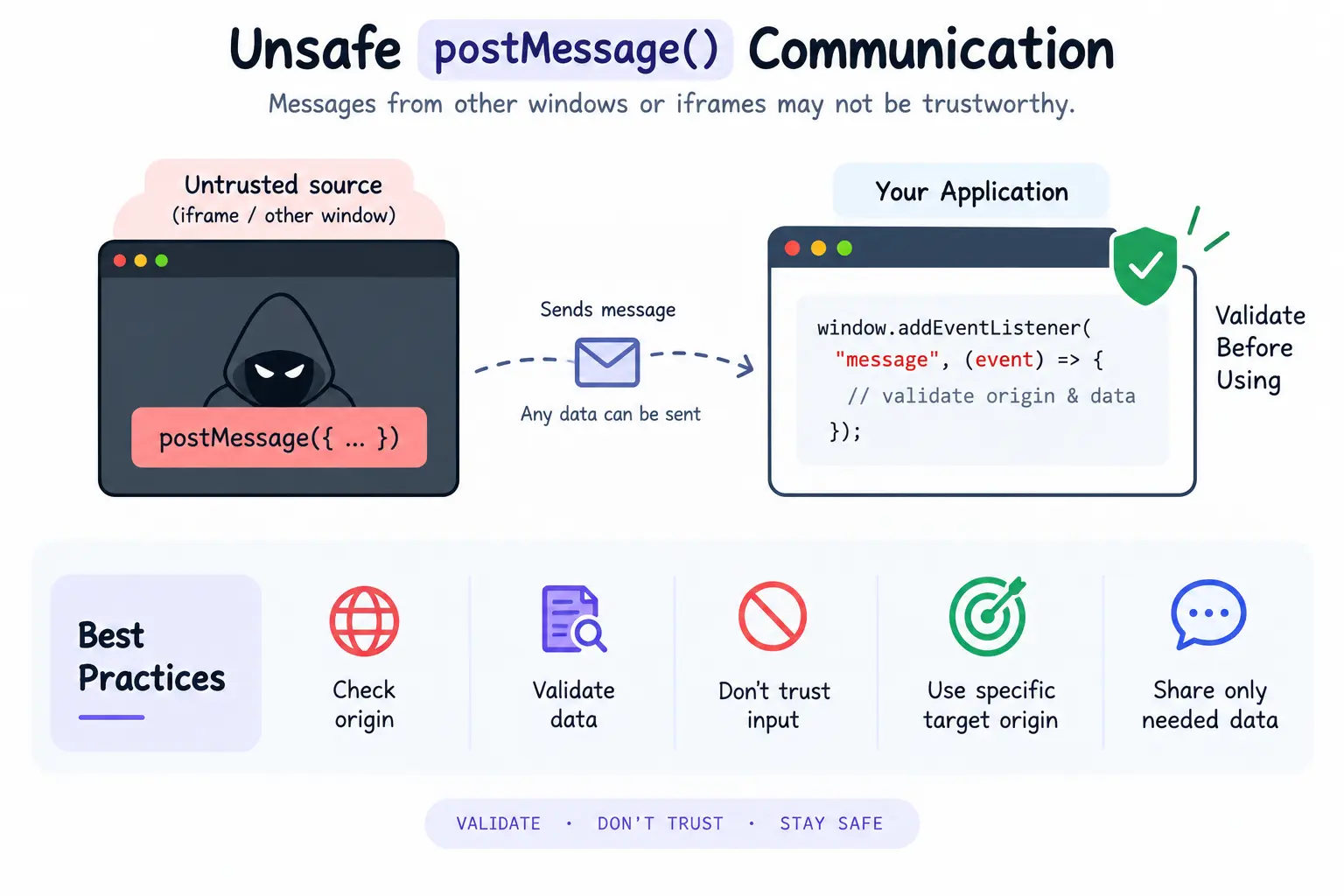
The browser’s postMessage() API allows different windows, tabs, and frames to communicate with one another. It is useful for embedded applications, payment interfaces, authentication flows, and other cross-window interactions.
However, messages received through postMessage() should never automatically be considered trustworthy.
For example:
window.addEventListener("message", (event) => {
    processData(event.data);
});
The application should first determine whether the message came from an expected origin and whether the received data has the structure the application expects.
This is particularly important when an iframe or external window can communicate with the application.
Front-end practice:
- Validate event.origin.
- Validate the structure and contents of event.data.
- Treat received messages as untrusted input.
- Avoid blindly executing received data.
- Use a specific target origin instead of * when the destination is known.
- Keep cross-window communication limited to the data that is actually required.
Think of postMessage() as an API boundary between different browsing contexts. Data crossing that boundary should be validated just like data received from any other external source.
10. Insecure Transport and Missing Browser Security Controls
Security also depends on how the browser communicates with the application.
HTTPS protects communication between the browser and server from many forms of network interception and manipulation. For applications handling authentication, personal information, payments, or other sensitive data, secure transport should be considered fundamental.
But HTTPS is only one part of browser security. Applications can also use security-related response headers and browser controls to reduce risks such as clickjacking, MIME-type confusion, and unwanted resource loading. OWASP’s HTTP security-header guidance covers mechanisms including CSP, framing controls, and X-Content-Type-Options.
Security headers should not simply be copied from another project. Their configuration needs to match the application’s actual behavior.
Front-end practice:
- Use HTTPS throughout production.
- Avoid loading sensitive resources over insecure connections.
- Review security-related response headers.
- Configure framing restrictions where appropriate.
- Use X-Content-Type-Options appropriately.
- Review mixed-content warnings.
- Understand what each security header is protecting.
Browser security features work best when they are treated as part of the application’s architecture rather than as deployment-time decorations.
Building Security Into the Development Process
One of the biggest mistakes in application security is treating it as a final deployment task.
By the time an application reaches production, many important security decisions have already been made. The libraries have been selected, authentication has been designed, data flows have been established, third-party services have been integrated, and client-side APIs have already been implemented.
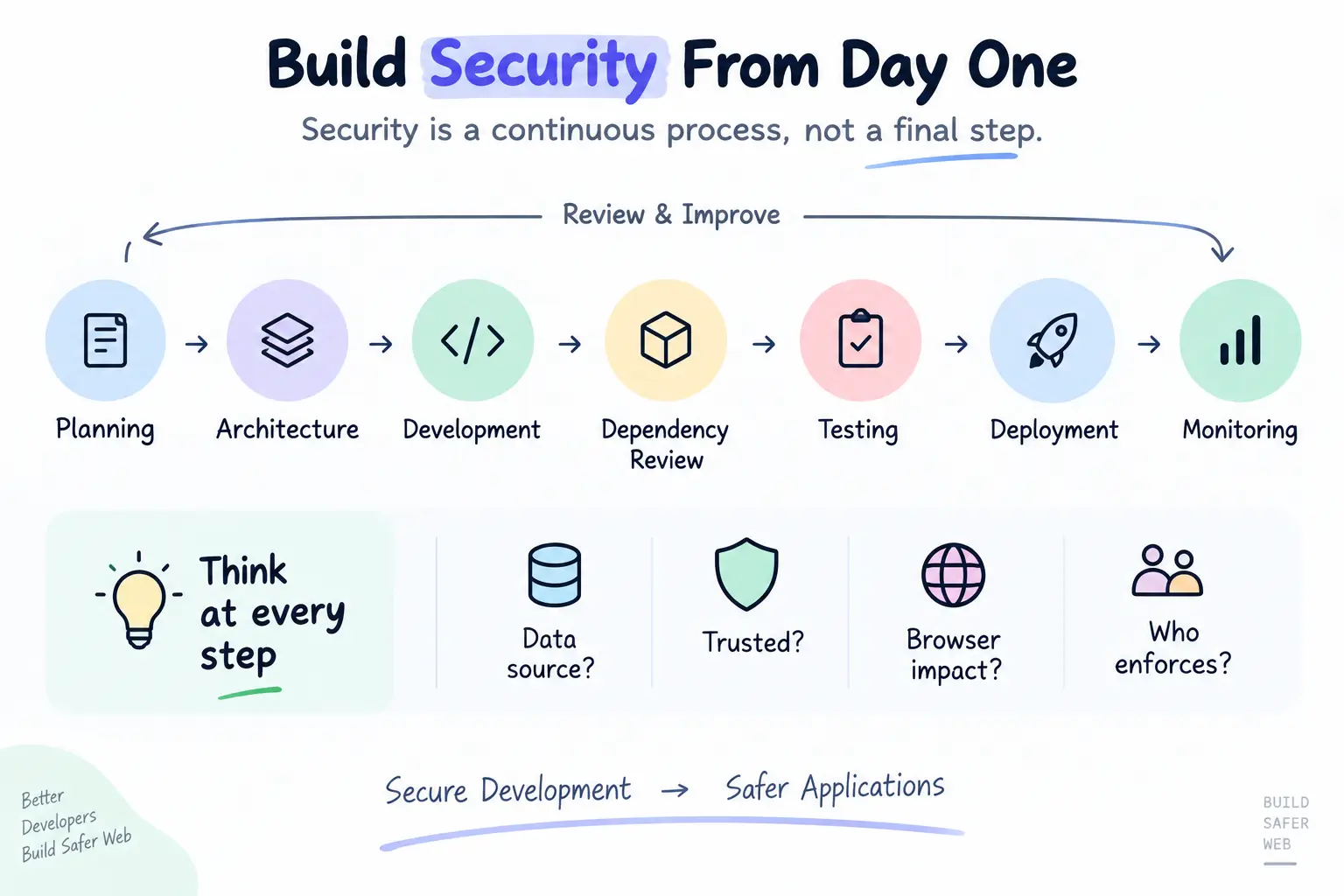
Security therefore needs to be considered throughout the development lifecycle.
Planning
   ↓
Architecture
   ↓
Development
   ↓
Dependency Review
   ↓
Testing
   ↓
Deployment
   ↓
Monitoring
Developers should continuously ask where data comes from, whether it is trusted, how the browser will interpret it, and which system is responsible for enforcing access.
A useful mindset is to treat every external boundary as a point where validation and security decisions matter.
That includes API responses, URL parameters, form inputs, browser storage, cross-origin requests, third-party scripts, iframe communication, and dynamically generated content.
Conclusion
Front-end security is no longer something that belongs only to backend systems or security teams. Modern browsers are powerful application platforms, and the code running inside them handles increasingly important parts of authentication, data processing, communication, and user interaction.
The ten concerns discussed here—XSS, exposed secrets, authentication storage, CSRF, CORS, CSP, dependencies, DOM manipulation, postMessage(), and transport security—represent different parts of the same larger challenge: understanding what the browser can trust and what it cannot.
No single security feature can protect an application by itself. Framework protections, safe coding practices, secure authentication, appropriate browser controls, dependency management, and server-side authorization all need to work together.
The most valuable security habit is therefore not memorizing a list of vulnerabilities. It is learning to question every boundary:
Where did this data come from?
Can the user control it?
How will the browser interpret it?
And what happens if it is malicious?
When those questions become part of everyday front-end development, security becomes part of building the application—not something added after it is finished.