
Headless CMS Localization: A Complete Guide to Managing Multilingual Content
Learn how to structure, manage, and scale multilingual content in a headless CMS while keeping translations consistent, localized, and aligned across languages and markets.
Headless CMS Localization
Businesses serving customers across multiple countries need more than simply translating their website into different languages. Content may need to be adapted for different regions, cultures, currencies, date formats, and audience expectations. A Headless CMS provides a structured way to manage this localized content separately from the frontend. This allows organizations to deliver consistent yet region-specific experiences across websites, applications, and other digital channels.
What Is Headless CMS Localization?
Headless CMS localization is the process of creating, managing, and delivering content for different languages and regions using a Headless CMS. Instead of maintaining completely separate content systems for every market, teams can manage localized content within a centralized content platform. Depending on the CMS, localization may be implemented through localized fields, content variants, separate entries, or relationships between content items. The frontend can then request the appropriate content for a specific locale.
Localization vs. Translation
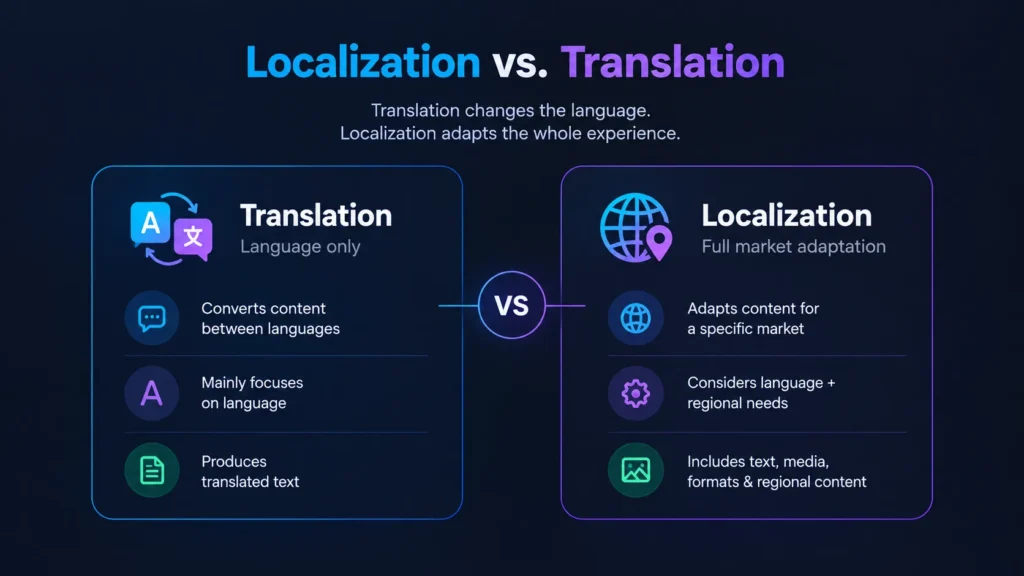
Translation primarily focuses on converting written content from one language into another. Localization is broader because it adapts the content experience to the requirements of a specific language and market. This can include language, currency, date formats, measurements, images, product information, and region-specific messaging. Understanding this difference helps teams design a localization strategy that goes beyond simply translating text.
Translation | Localization |
Converts content between languages | Adapts content for a specific market |
Mainly focuses on language | Considers language and regional requirements |
Produces translated text | Can include text, media, formats, and regional content |
How Localization Works in a Headless CMS
A Headless CMS can store a source content item together with localized versions or localized field values, depending on the platform’s data model. Each version can be associated with a locale such as en-US, en-GB, fr-FR, or de-DE. When an application needs content, it requests the content for the required locale using the CMS’s supported delivery mechanism. The way localization and fallback are applied depends on the CMS and how the application has been designed.
A typical localization process includes:
- Creating structured source content.
- Defining supported languages and locales.
- Creating localized content variants or values.
- Reviewing and approving localized content.
- Publishing the required locales.
- Delivering the localized content to the frontend.
Designing Content Models for Multiple Languages
Content modeling is important when building a multilingual Headless CMS implementation. A content model should identify which fields require localization and which fields can remain common across markets. For example, a product may have a shared product ID and SKU while its product name and description have localized values. This approach reduces unnecessary duplication and makes the content easier to maintain as additional languages are introduced.
A content model may contain:
Shared fields
Product ID, SKU, technical specifications.
Localized fields
Name, description, marketing copy.
Regional fields
Currency, availability, local offers, regulations.
The exact structure should depend on the CMS’s localization capabilities and the requirements of the application.
Managing Languages and Locales
Language and locale are related but are not exactly the same. A language identifies the language of the content, while a locale can also identify regional conventions associated with that language. For example, en-US and en-GB both represent English but may use different spelling, date formats, currencies, and regional conventions. Defining supported locales clearly helps the CMS and frontend application consistently identify the content required for each market.
Teams should establish a clear locale strategy before creating large amounts of multilingual content. Locale identifiers should be used consistently across content models, frontend routing, integrations, and localization workflows.
Language Fallback Strategies
Localized content may not always be available for every requested locale. A fallback strategy determines what the application should do when the requested localized version is unavailable. Depending on the Headless CMS, fallback may be provided by the CMS itself or implemented by the application consuming the content. For example, an application may request fr-CA content and use another approved French or default locale when appropriate.
Fallback behavior should be explicitly defined rather than assumed. Teams should also decide whether fallback is acceptable for every content type, because some information may be legally or commercially required to exist in the requested locale.
Managing Regional Content Variations
Localization does not always mean translating the same content into another language. Different markets may require different products, promotions, legal information, calls to action, or other region-specific content. A Headless CMS can represent these requirements using localized fields, regional entries, references, or separate content structures when necessary. The appropriate approach depends on how much content is shared between markets and how different each regional experience needs to be.
For example, a global product description may be shared across several markets while pricing, availability, promotional messaging, and legal notices may differ by region. Modeling these differences separately can prevent unnecessary duplication while keeping regional content accurate.
Managing Localized Media and Assets
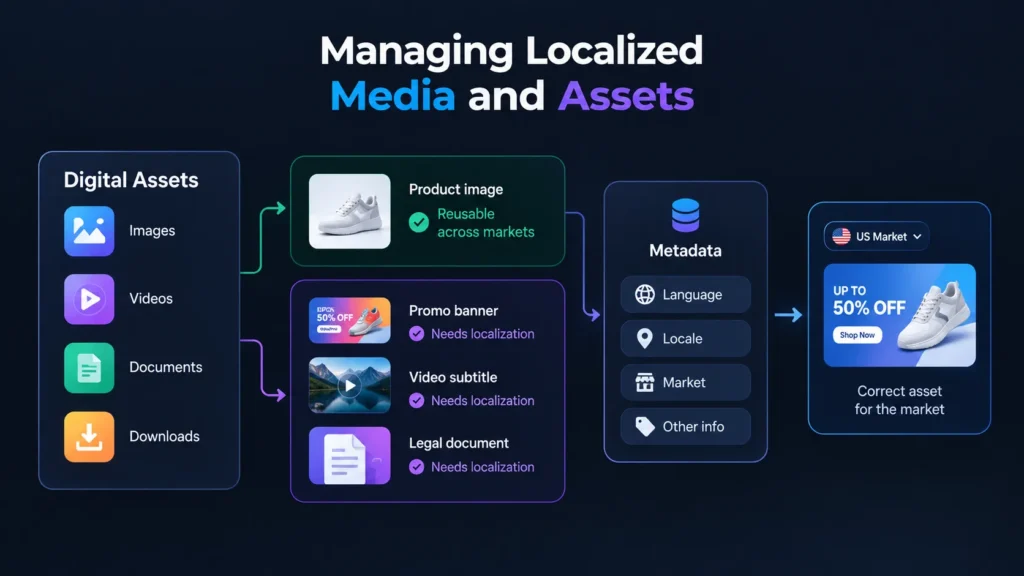
Localization can also apply to digital assets such as images, videos, documents, and downloadable resources. However, not every asset needs a localized version. A product image may be reusable across markets, while a promotional banner, video subtitle, or legal document may need a market-specific version.
When assets require localization, they can be associated with appropriate language, locale, market, or other metadata. This allows the application to select the correct asset when presenting localized content. The exact implementation depends on the asset management and localization features provided by the CMS.
Delivering Localized Content to the Frontend
The frontend application is responsible for presenting content according to the user’s selected or determined locale. An application may determine the locale through URL paths, domains, user preferences, application settings, browser preferences, or another defined mechanism. It then requests content for that locale using the CMS’s supported content delivery method.
The CMS and application work together to provide the appropriate content. Depending on the implementation, localization filtering and fallback can happen within the CMS, within the application, or through a combination of both. Keeping this responsibility clearly defined helps prevent inconsistent behavior between different frontend applications.
Localization Workflow for Content Teams
A structured localization workflow helps content teams manage multilingual content consistently. When source content is created or updated, the relevant localized versions can be identified and sent through translation, adaptation, review, and approval processes. These workflows may be handled directly within the CMS or through integrations with translation and localization tools.
Teams should also define what happens when the source content changes. Some updates may require a complete retranslation, while others may only require a review. A clear workflow helps ensure that published localized content remains aligned with the approved source content.
A typical workflow can include:
- Create or update source content.
- Identify affected locales.
- Translate or adapt the content.
- Review the localized version.
- Approve the content.
- Publish the required locale.
- Validate the localized experience.
Common Headless CMS Localization Challenges
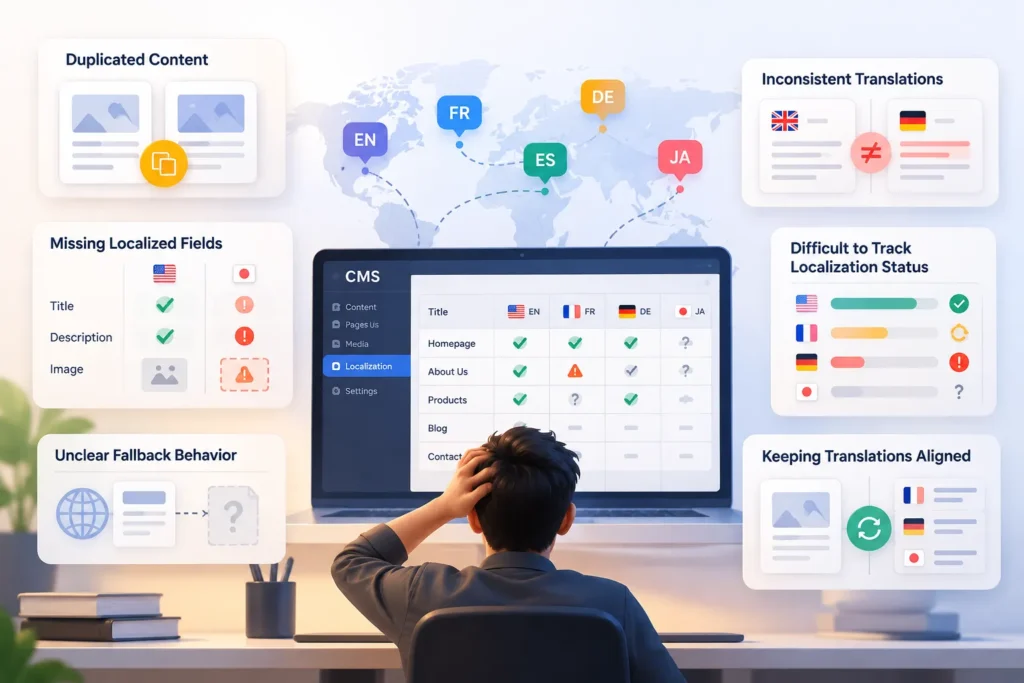
Multilingual implementations become complex as languages, markets, and content types grow. Common challenges include duplicated content, inconsistent translations, missing fields, unclear fallbacks, and tracking localization status. Regional requirements also make it difficult to decide what content should be shared or managed separately.
Keeping localized content aligned with source content is another challenge. Changes to the original may require review or retranslation to avoid outdated or incomplete information.
Best Practices for Headless CMS Localization
A scalable localization strategy should be planned before large amounts of multilingual content are created. Teams should define supported locales, identify which fields and content types require localization, and design content models that minimize unnecessary duplication. They should also establish clear ownership for translation, review, approval, and publishing.
The implementation should reflect the capabilities of the selected Headless CMS rather than assuming that every platform handles localization in the same way. Clear responsibilities between the CMS, frontend, and localization tools can make the system easier to maintain as the number of supported markets grows.
Important practices include:
- Define supported locales clearly.
- Design localization into content models from the beginning.
- Use consistent locale identifiers.
- Separate shared content from regional content.
- Define explicit fallback behavior.
- Establish a structured translation workflow.
- Track changes to source and localized content.
- Test each supported locale before publishing.
Conclusion
Headless CMS localization provides a flexible approach to managing multilingual and region-specific content across modern digital experiences. It allows organizations to maintain structured content while supporting different languages, markets, and frontend applications. Instead of creating completely separate content systems, teams can reuse shared content and localize only the elements that require regional adaptation.
Successful localization depends on more than adding translated text to a CMS. Organizations need appropriate content models, a clear locale strategy, well-defined fallback behavior, localized asset management, and reliable editorial workflows. When these elements are planned together, a Headless CMS can support multilingual experiences while keeping content management flexible and maintainable.