
Headless CMS SEO: Technical SEO Best Practices for Headless Websites
Learn how to build a headless website that is easy for search engines to crawl, render, and index.Discover practical SEO strategies for better performance, structured content, and scalable website architecture.
A headless CMS separates content management from the frontend presentation layer. This gives developers flexibility to build customized websites and deliver the same content across different digital platforms. However, because the CMS does not directly control the frontend, SEO features such as metadata, URLs, redirects, structured data, and sitemaps need to be implemented carefully.
A headless website can perform well in search when its technical architecture is properly configured. Search engines need to be able to discover, crawl, render, understand, and index important content. Therefore, SEO should be considered during the development of the frontend, CMS, API, and hosting infrastructure rather than added only after launch.
1. Choose an SEO-Friendly Rendering Strategy
Rendering determines how content is delivered to users and search engines. Headless websites can use server-side rendering (SSR), static site generation (SSG), hybrid rendering, or client-side rendering (CSR), depending on the requirements of the website.
There is no single rendering method that is automatically best for SEO. Google can process JavaScript, but important content and SEO signals should be reliably available when Google crawls and renders the page. For SEO-focused pages, choose a rendering approach that provides consistent access to the main content, links, and metadata without unnecessary rendering complexity.
2. Optimize Titles and Meta Descriptions
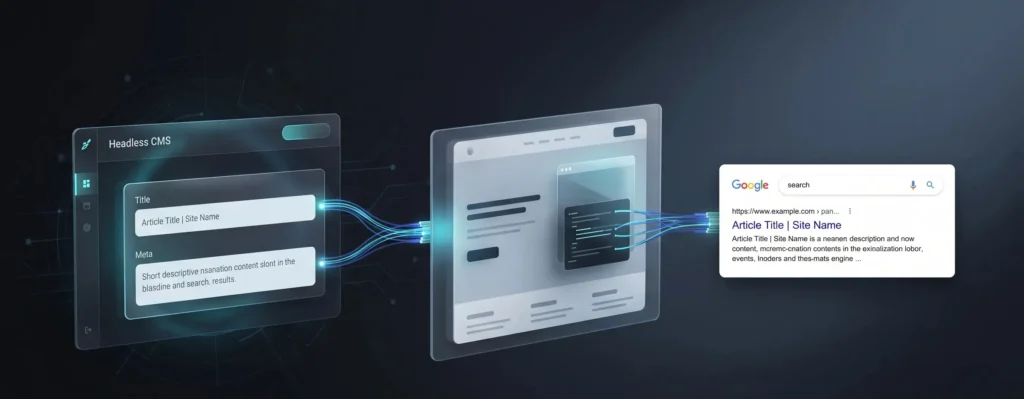
A headless CMS may not include the same built-in SEO controls found in traditional CMS platforms. For this reason, the content model should provide appropriate fields for title tags, meta descriptions, and other relevant metadata.
Each important page should have a descriptive and relevant title and, where appropriate, a unique meta description. The frontend should generate these elements consistently from the CMS while allowing editors to customize them when necessary.
3. Create Clean URLs and Canonical Tags
Headless websites can create multiple URLs for the same content through filters, query parameters, different routes, or URL variations. A clear URL structure helps avoid unnecessary duplication and makes pages easier to understand.
					Use descriptive and stable URLs such as:
example.com/blog/headless-cms-seo/
Each indexable page should also have a canonical URL that identifies its preferred version. Canonical tags are signals rather than absolute commands, so they should be consistent with the page’s internal links, redirects, and sitemap URLs.
4. Generate XML Sitemaps Automatically
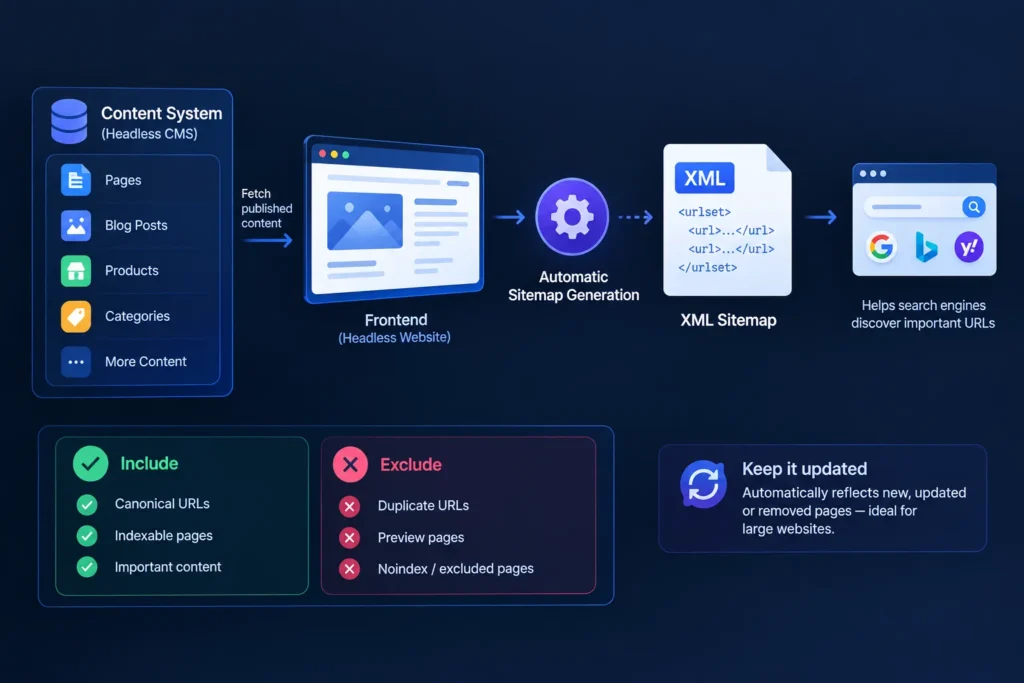
An XML sitemap helps search engines discover URLs that are important to a website. In a headless architecture, the sitemap can be generated automatically from the same content system that powers the frontend.
The sitemap should primarily contain canonical, indexable URLs that the website wants search engines to discover. Duplicate URLs, preview pages, and pages intentionally excluded from indexing should generally not be included.
Keeping the sitemap automatically updated is particularly useful for large websites where pages are frequently published, updated, or removed.
5. Manage Robots.txt and Indexing Correctly
The production website should have a correctly configured robots.txt file that does not accidentally block important pages or resources. However, robots.txt controls crawling and should not be treated as a direct indexing control.
If a page should not appear in search results, the appropriate indexing mechanism should be used rather than relying only on robots.txt. Staging and preview environments should also be protected from public indexing, preferably through appropriate access controls.
6. Use Correct HTTP Status Codes
A headless frontend should return accurate HTTP status codes for different URL conditions. Existing pages should normally return a successful response, permanently moved pages should return an appropriate permanent redirect, and pages that do not exist should normally return a 404 or, where appropriate, 410 response.
Avoid soft 404s, where a page displays a “not found” message but still returns a 200 status code. Correct status codes help search engines understand whether a URL represents a valid page or content that is no longer available.
7. Strengthen Internal Linking
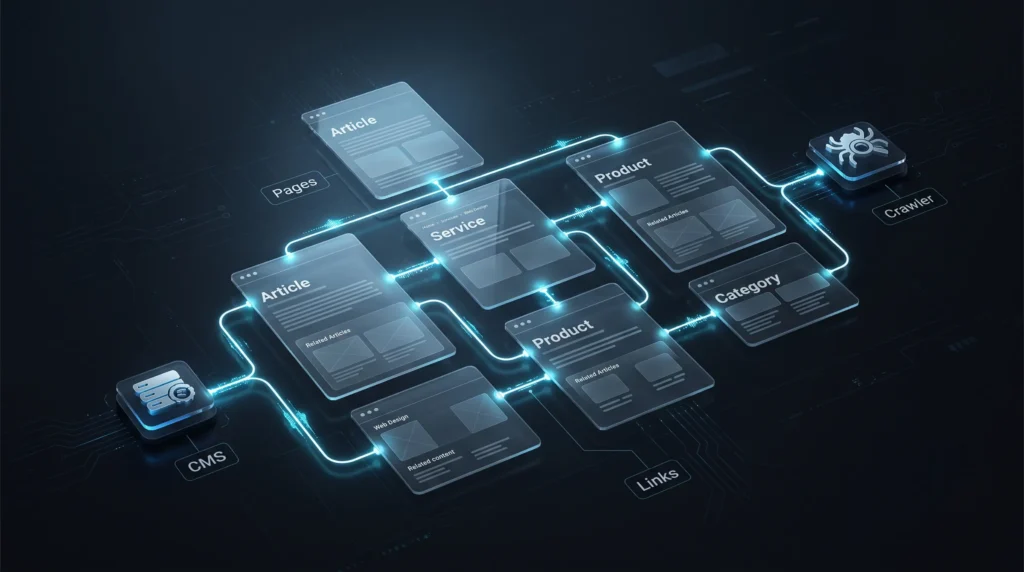
Internal links help users navigate a website and help search engines discover and understand relationships between pages. A headless CMS can store relationships between articles, categories, products, services, and other content types, which can then be rendered as links on the frontend.
Important navigation, breadcrumbs, related content, and contextual links should generally be implemented as crawlable HTML links. Do not make important navigation dependent entirely on JavaScript interactions that do not expose usable links.
8. Add Relevant Structured Data
Structured data helps search engines understand specific types of content. Depending on the website, relevant types can include Article, Breadcrumb, Product, Organization, and other supported structured data formats.
A headless CMS can store the information needed for structured data, while the frontend can generate JSON-LD automatically. The markup should accurately represent the visible content on the page and should be validated before deployment.
Structured data can make pages eligible for certain search features, but adding structured data does not guarantee rich results or improved rankings.
9. Improve Website Performance

Headless architecture does not automatically make a website faster. Performance can still be affected by large JavaScript bundles, slow API requests, unoptimized images, third-party scripts, fonts, and inefficient caching.
Developers should optimize images, reduce unnecessary JavaScript, use effective caching, and minimize unnecessary API requests. CDN delivery can also help serve assets efficiently. Performance should be considered across the entire delivery process, from the CMS and API to the frontend and browser.
10. Build SEO Into the CMS
SEO requirements should be considered when designing the headless CMS content model. Instead of handling SEO information manually for every page, structured fields can provide consistent information to the frontend.
Useful fields may include:
- SEO title
- Meta description
- URL slug
- Canonical URL
- Robots directive
- Featured image
- Author information
- Publication date
Not every technical SEO setting needs to be editable by content authors. Some controls, such as global robots rules or URL behavior, may be better managed centrally by developers or SEO administrators.
11.Optimize Images and Media
Images can affect both user experience and page performance. A headless CMS should ideally support image resizing and optimization so that the frontend can deliver appropriate image dimensions and formats instead of unnecessarily serving large original files.
Images that communicate meaningful information should have appropriate alternative text. Decorative images should not be given unnecessary descriptions. Important images should also be loaded in a way that does not unnecessarily delay the main page content.

12.Manage Pagination and Filter URLs
Ecommerce and large content websites can generate many URLs through filters, sorting options, search parameters, and pagination. If every variation becomes crawlable and indexable, the website can create unnecessary URL combinations and duplicate or low-value pages.
Determine which filtered or category URLs provide useful, unique content and which exist mainly for user interaction. The indexing and crawling strategy should be based on the actual value of these pages rather than automatically indexing every generated URL.
13.Handle International SEO Properly
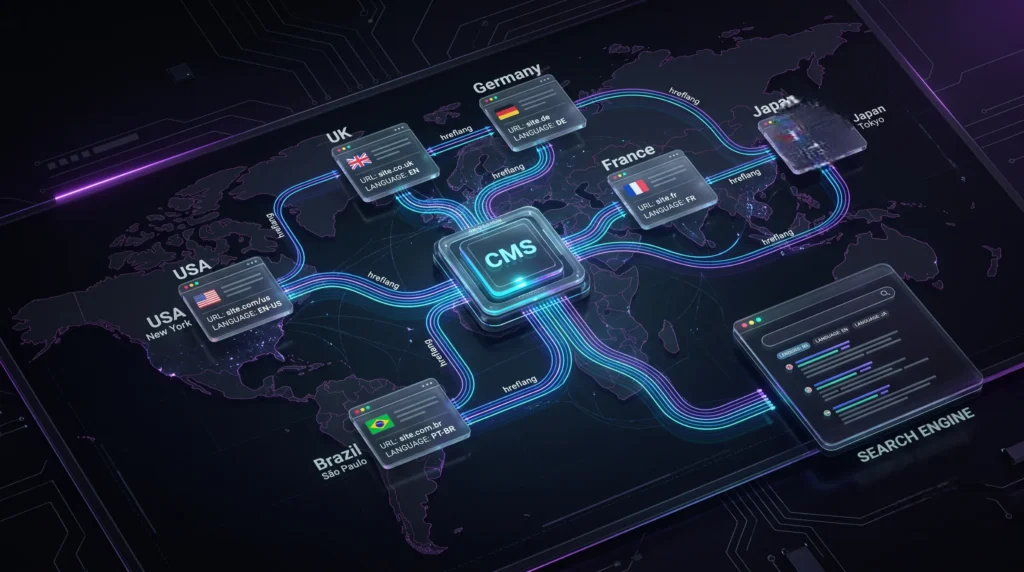
Headless websites serving multiple languages or countries need a consistent URL and localization strategy. Each localized version should have the appropriate URL, content, canonical configuration, and language relationships.
For multilingual websites, hreflang can help search engines understand alternative language or regional versions of a page. These relationships should ideally be generated systematically from the CMS rather than maintained manually across large numbers of pages.
14.Protect Staging and Preview Environments
Headless CMS platforms often provide preview environments where editors can review unpublished content. These environments should not become publicly indexable because they may contain duplicate, incomplete, or unpublished pages.
Use appropriate access controls for staging environments and make sure preview URLs are not included in production sitemaps. Also verify that staging and preview configurations do not accidentally generate production canonical URLs or other conflicting SEO signals.
15.Test SEO During Development
SEO testing should be part of the development and deployment process. Because headless websites often generate pages programmatically, one change to a shared component can affect many URLs.
Important automated or manual checks can include:
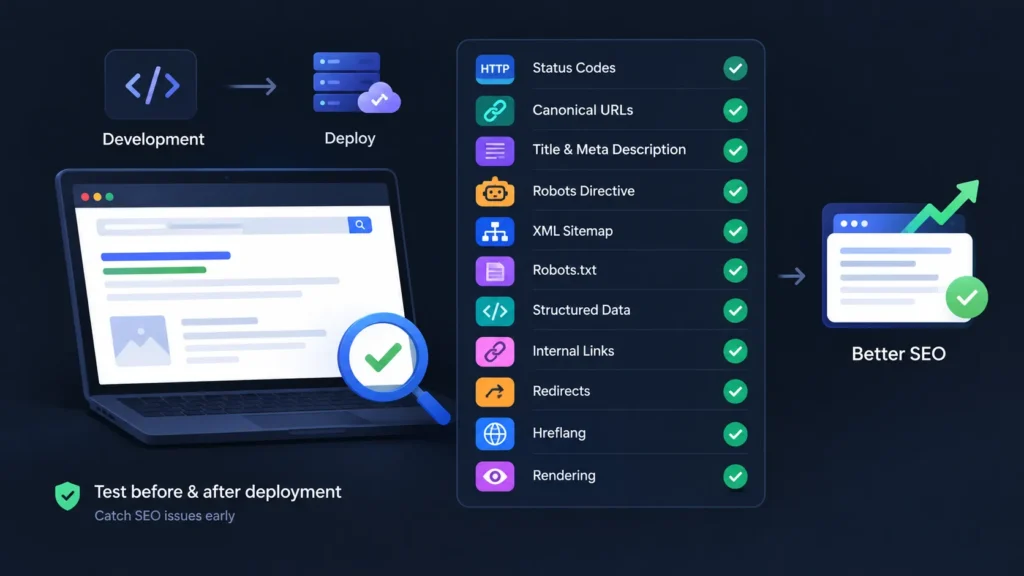
Testing these elements before and after major deployments can help identify technical SEO problems early.
Quick Headless CMS SEO Checklist
SEO Area | Key Requirement |
Rendering | Make important content and signals reliably accessible |
Metadata | Use relevant titles and descriptions |
URLs | Keep URLs clean and stable |
Canonicals | Identify the preferred URL consistently |
Sitemap | Include canonical, indexable URLs |
Robots.txt | Manage crawling without blocking important content |
Redirects | Handle URL changes correctly |
Internal Links | Connect important pages with crawlable links |
Structured Data | Use accurate, supported markup |
Performance | Optimize images, JS, APIs, and caching |
Staging | Prevent preview environments from being indexed |
Testing | Check SEO signals during development and deployment |
Common Headless CMS SEO Mistakes
A common mistake is assuming that a modern JavaScript framework automatically makes a website SEO-friendly. Frameworks can provide useful rendering and routing capabilities, but SEO still depends on how the website implements metadata, canonicalization, redirects, internal links, structured data, and indexing controls.
Another problem is allowing the CMS and frontend to generate conflicting SEO information. For example, the CMS may contain one canonical URL while the frontend generates another. Similar inconsistencies can occur with sitemap URLs, redirects, robots directives, and localized pages.
Some common mistakes include:
- Relying unnecessarily on client-side rendering for important content.
- Creating duplicate or inconsistent URLs.
- Returning 200 responses for missing pages.
- Using robots.txt as a replacement for noindex.
- Forgetting to keep XML sitemaps updated.
- Blocking important content or resources accidentally.
- Publishing structured data that does not match page content.
- Allowing staging pages to become publicly indexable.
- Changing URLs without an appropriate redirect strategy.
- Deploying frontend changes without SEO testing.
Final Thoughts
Headless CMS architecture provides flexibility and scalability, but SEO depends on how the CMS, frontend, API, and hosting infrastructure work together. Rendering, metadata, URLs, canonical tags, internal linking, structured data, redirects, indexing controls, and performance all need to be implemented consistently.
The key is to build SEO into the architecture from the beginning rather than treating it as a final optimization step. With a well-planned technical foundation, a headless website can provide a flexible content experience while remaining accessible and understandable to search engines.